📽️ Best Projector for Golf Simulators (2026)

Our picks for the best projector for a home golf simulator, with the specs that matter, current retailers, and live pricing, so you can choose the right one and plan it into your build.

How we rank: manufacturer spec sheets, independent input lag bench measurements, and the builds members actually run on this site. When two projectors tie, the one with no recurring cost wins (a replacement lamp is a subscription in disguise), and picks we cannot monetize still rank.

Prices refresh automatically from retailers and may include affiliate links. Buying through them supports the community at no extra cost to you. Sale tags show only when a verified discount survives rounding.

How we rankHouse rule: no subscription wins ties

Every rank here is earned on merit. Evidence we lean on, named in each pick: manufacturer spec sheets for light source, brightness, and optics; independent bench measurements for input lag; our 3D builder for throw and mount geometry; and published community builds on this site for what owners actually run. Ties break toward the lower lifetime cost, which is our no subscription wins ties doctrine applied to hardware: a lamp you will replace is a recurring cost, and it loses the tie. Affiliate economics never move a rank, and picks with no affiliate path still rank.

Model the throw and the mount in the 3D builder

Budget: about $1,000

1
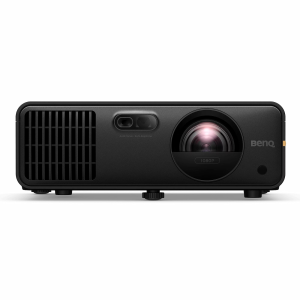
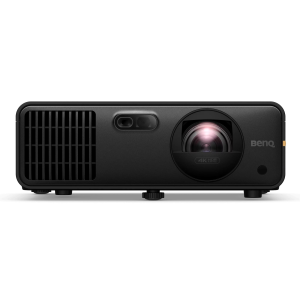
Optoma GT2000HDR
Best budget
about $999Live
$1,199$1,099

A short-throw laser at about $999 changes the budget math. The GT2000HDR is rated for 30,000 hours, which is the whole life of a sim room with zero lamp swaps, and independent bench tests measured input lag at 8.6 ms, roughly half the 16.67 ms of the lamp projector that used to own this price. At 3,500 lumens it is also brighter than that outgoing budget default, and it will still be that bright in five years.

The caveat

Fixed lens with no zoom, so the throw math dictates the mount position. Plan the mount before you buy; the 3D builder does the geometry for your exact room.
Evidence
manufacturer laser life specindependent input lag bench measurement
2
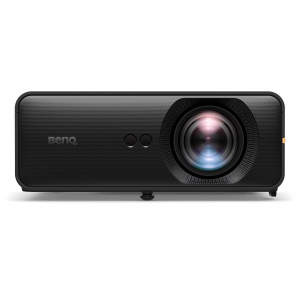
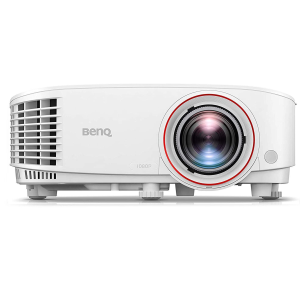
BenQ TH671ST
Budget runner-up, the placement king
about $949Live
$949

The TH671ST wore the budget crown for years, and we are demoting it with respect, not spite. Here is the plain reason: now that a laser lands under $1,000, lamp loses on all three of the things that decide a projector you will own for years. Brightness decay, because a lamp dims steadily from the day you turn it on while a laser holds its output. Lifespan, because a lamp is rated in the low thousands of hours against 30,000. Total cost, because every replacement lamp is money you spend again on a projector you already bought. What the BenQ still does better than anything near this price is placement: a 1.2x zoom gives real freedom on mount position that the fixed-lens Optoma simply does not have. If your mount point is constrained, the placement king is still the right buy.

The caveat

Lamp light source: budget for replacement lamps over the years, and expect the image to dim as the lamp ages.

Evidence
manufacturer spec sheets (light source, zoom range)community install history
3
Optoma GT2400HDR
Budget third (2026 refresh)
about $1,299
Our catalog listing is queued, so there is no live price or retailer link for this pick yet.

The 2026 refresh of the GT2000HDR: the same short-throw laser recipe, now rated at 4,200 lumens, which is the reason to pay the difference. At about $1,299 it is the pick when the bay has windows or light walls and the 2000 would be fighting for contrast. It ranks third rather than higher because it is the newest thing here and we have no member builds running it yet, so we are leaning on the spec sheet alone and saying so.

The caveat

Our catalog listing is queued, so this pick has no live price or retailer link on the page yet. If the product name below does not resolve to a product page, that is why, and it links up as soon as the listing lands.

Evidence
manufacturer spec sheetno community builds yetcatalog listing queued

Mid range: about $2,000 to $2,900

1
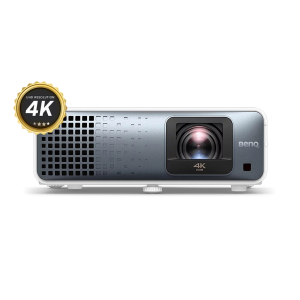
BenQ AK700ST
Best overall
about $2,899Live
$2,899

The most-run projector in our community, with 5 published builds on this site, and the pick that settles arguments: true 4K from a 4,000-lumen laser, a short throw designed around golf rather than adapted to it, and Auto Screen Fit, which squares the image to the impact screen instead of making you nudge a ceiling mount a quarter inch at a time. That last feature is the one owners bring up unprompted, because screen-squaring is the part of the install that eats an afternoon. This is the projector we point people at when they ask what to buy once.

Evidence
published community builds (5)manufacturer spec sheet
2
BenQ AH700ST
The installer default
about $2,299Live
$2,299

The same chassis thinking at 1080p, and the quiet default of professional installers: golf throw, laser source, and install-friendly setup. If your screen size and viewing distance make 4K a luxury rather than a difference you can see, this is the sensible spend.

Evidence
manufacturer spec sheetinstaller adoption reported in community builds
3
BenQ AH500ST
Shallow-room pick
about $1,999Live
$1,999

The answer for bays where depth, not width, is the constraint: a 0.5:1 throw ratio against the 700-series 0.69 to 0.83:1, which is the difference between fitting and not fitting in a shallow room. It keeps the same 4,000-lumen laser as the AH700ST and costs about $300 less, so you are not paying for the tighter throw. When the throw math in the 3D builder says the others will not fit, this is the BenQ that will.
The caveat

You give up flexibility rather than brightness: no zoom and no lens shift, so like the GT2000HDR its throw ratio fixes the mount position. In a shallow room that is usually fine, because there was only one place to put it anyway.

Evidence
manufacturer throw and brightness specsthrow modeling in our 3D builder

Premium: about $4,000 and up

1
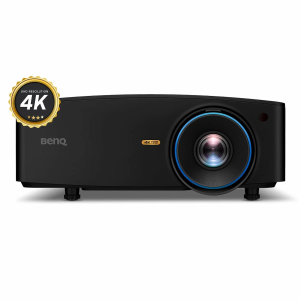
BenQ LK936ST
Best premium
about $4,899Live
$4,899

The premium benchmark: 5,100 lumens of 4K laser, HDBaseT so the projector can sit far from the source on one cable run, and, rarest of all at golf throw distances, real optical lens shift. Lens shift is the feature worth paying for, because it lets you move the image instead of moving the projector, which is what saves an install when the ceiling joist is not where the geometry wants it.

The caveat

One nuance no other guide will tell you, and our own 3D tool models it: the published lens shift numbers cannot be used at the same time. BenQ lists 60% vertical and 23% horizontal, and both are true only in isolation. The envelope is a diamond, not a rectangle, so every percent of vertical travel you spend eats into the horizontal you have left. A typical ceiling install spends most of the vertical budget just getting the image down onto the screen, which collapses real usable horizontal shift to roughly 3.8%. Plan the mount against the real envelope, not the headline number; our 3D builder does that math for your room.

Evidence
manufacturer spec sheetour own verified lens shift envelope correction, applied in lib/projector-throw.js and modeled in the 3D builder
2
BenQ LU935ST
Brightness-first premium
about $4,000Live
$4,200$4,000

The WUXGA 16:10 sibling for rooms that fight ambient light: 5,500 lumens against the LK936ST's 5,100, for about $900 less. Trading 4K pixels for lumens is the grown-up move when the bay is bright, because at sim viewing distances a washed-out 4K image looks worse than a bright 1080p-class one, and contrast is what your eye reads as sharpness. The 16:10 native shape also maps neatly onto taller screens. Buy the LK936ST instead if the room is genuinely dark and you sit close.

Evidence
manufacturer spec sheets (brightness, native aspect)
3
Optoma ZK608TST
Statement build
about $5,829Live
$8,569$6,859

A 6,000 lumen 4K short throw for statement bays and bright commercial-leaning rooms. One member build on this site runs it, which is exactly the kind of small honest sample we report rather than inflate.

Evidence
manufacturer spec sheet1 published community build
Why we do not recommend UST living-room projectors for sim bays

Ultra short throw projectors are brilliant above a TV console and wrong in a golf bay, for two physical reasons. First, the strike zone: a UST has to sit on the floor or a low shelf directly under the screen, which parks thousands of dollars of glass exactly where mishits, bounce-backs, and club debris live. Second, the glare path: UST light rakes up the screen at an extreme angle, so every ripple in an impact screen (and impact screens ripple by design, they are cushions, not walls) throws a moving shadow band, and the same steep geometry aims the brightest reflection back down toward the hitting area. A conventional short throw mounted high and behind the golfer solves both. If a UST already lives in your house, enjoy it in the media room.

What our own community data says
  • 5 published builds on this site run the BenQ AK700ST, the most of any projector hereSource: published community builds
  • 1 published build on this site runs the Optoma ZK608TSTSource: published community builds

Live prices right now

#1
AK700ST 4K Golf Projector
Transform your golf simulator and/or home theater with the BenQ AK700ST 4K projector. Setup is easier with Auto Screen Fit, vibrant 4,000-lumen brightness, and lifelike Golf Mode for an immersive experience. The short-throw lens eliminates shadows and keeps your swings smooth, while durable laser technology ensures years of stunning visuals without the upkeep.BenQ AK700ST FeaturesFlexible SetupWith its short-throw lens, the AK700ST can be positioned safely behind the player, reducing shadow interference and minimizing the risk of damage. Supports screen sizes up to 200 inches with a 1.2x optical zoom for flexible placement.Plus, warping capabilities make it easy to project onto a curved screen like Carl's Curved Golf Enclosure.Immersive, Long-Lasting BrightnessWith 4,000 lumens, the projector delivers bright and clear images, even in well-lit rooms.The laser light source offers up to 20,000 hours of operation, reducing maintenance and replacement costs.Keep FocusedAdjust focus easily using the remote control without needing to access the projector directly.Garage ReadyThe IP5X-rated sealed engine operates reliably in various environments, reducing maintenance needs.How It WorksBenQ's AutoFit feature is super handy - it can tweak the image size, focus, and alignment to match your screen. However, you still need to place your projector so the image roughly fills your screen before you hit that AutoFit button.1. Placing the ProjectorMount or position your projector so the image is bigger than your screen on all sides. Yep, make it overflow a little, BenQ recommends a screen border of at least 2.4 around your screen. Now our C-Series screens don't quite play by those border rules - the image goes all the way to the floor. Luckily, AutoFit still plays nice. We checked.2. Firing It UpWhen you turn on your projector for the first time (or after a factory reset), you'll get a pop-up to start AutoFit. Press OK.3. Tweaking the PositionYou'll see a pattern on your screen. This is your cue to adjust the projector's distance, tilt, and zoom so the pattern fits nicely inside the borders of your screen.4. Let AutoFit Do Its ThingOnce that pattern is sitting inside your screen, press OK again. The projector will then automatically adjust the image to fit your screen's size and aspect ratio.5. Fine-tune with Corner FitAutoFit gets you close, but not always perfect. After it runs, you'll get a screen to adjust the corners just right.See How We Did ItWatch us set up the AK700ST. The manual is also available in the Resources section below.Ordering InformationShipping LimitationBenQ products ship to US addresses only.
$2,899
#2
GT2000HDR Short Throw Golf Simulator Projector
OPTOMA GT2000 HDR SHORT THROW GOLF SIMULATOR PROJECTOR This short throw projector will help you elevate your indoor golf experience. The Optoma GT2000 HDR will captivate you while you play or practice, with its 3500 lumens bright image, vibrant, true-to-life colors and 300,000:1 contrast ratio. Featuring HDMI 2.0 and VGA for connectivity to a wide range of devices. A 30,000-hour laser life enables many years of use with minimal maintenance.
$1,199$1,099
#3
LK936ST 4K UHD Golf Projector
Made specifically for high-end golf simulator setups, the BenQ LK936ST short-throw projector is top-rated to pair with golf simulator software. Native 16:9 aspect ratio and rated at 5,100 lumens with up to 20,000 hour lamp life.BenQ LK936ST FeaturesSuperb Image QualityGenerating razor-sharp images and pure colors, the BenQ LK936ST golf simulator projector eliminates problems such as blurriness, shadowing, and interference patterns for immaculate clarity.Laser-Powered Ultra-High ContrastThe BenQ LK936ST projector creates strikingly clear images with stratospherically high 3,000,000:1 contrast ratio for true deep blacks, vivid rich colors, and fine subtle details.High Brightness for Lights-On Enjoyment5,100 lumens of high brightness let you watch and play in virtually any light environment.Small Space CompatibleMaximize thrills in minimal space, the BenQ LK936ST produces larger-than-life images in tight spaces with a 0.8 short-throw ratio.Get StartedWhats IncludedBenQ LK936ST ProjectorPower CordHDMI CableWarranty CardOrdering InformationShipping LimitationBenQ products ship to US addresses only.Special Order ItemThis product is considered a Special Order item. Please see our Return Policy for more information.
$4,899
#4
AH700ST Golf Projector
BenQ's AH700ST has auto-sensing technology that corrects and calibrates the screen with the press of a button. Made for golf simulators, this projector simplifies setup for flexible mounting.BenQ AH700ST FeaturesEasy InstallationAutomatically detects your golf screen edges and projects to standard aspect ratios (16:9, 16:10, 4:3 and 1:1) with one-button setup. For non-standard ratios, a quick tweak via your graphic card settings is all it takes.Fantastic Picture QualityWith 4000 lumens of brightness and 95% Rec. 709 color accuracy, this laser projector will not have a problem producing stunning visuals. Enjoy up to 20,000 hours of light source life, reducing costs associated with lamp replacements and maintenance costs.Mounting FlexibilityThe short throw lets you install in a safe and shadow-free location for your swing. Plus, the professional-grade motorized lens with 1.2x optical zoom lets you easily adjust the screen size without reinstalling, maintaining perfect picture quality.The AH700ST is capable of projecting wirelessly from any device, with the purchase of a separate dongle.Garage ToughBuilt to withstand tough environments, the AH700ST's IP5X dustproof sealed engine operates reliably in temperatures from 32-104degF, eliminating the need for regular filter replacements.How It WorksBenQ's AutoFit feature is super handy - it can tweak the image size, focus, and alignment to match your screen. However, you still need to place your projector so the image roughly fills your screen before you hit that AutoFit button.1. Placing the ProjectorMount or position your projector so the image is bigger than your screen on all sides. Yep, make it overflow a little, BenQ recommends a screen border of at least 2.4 around your screen. Now our C-Series screens don't quite play by those border rules - the image goes all the way to the floor. Luckily, AutoFit still plays nice. We checked.2. Firing It UpWhen you turn on your projector for the first time (or after a factory reset), you'll get a pop-up to start AutoFit. Press OK.3. Tweaking the PositionYou'll see a pattern on your screen. This is your cue to adjust the projector's distance, tilt, and zoom so the pattern fits nicely inside the borders of your screen.4. Let Autofit Do Its ThingOnce that pattern is sitting inside your screen, press OK again. The projector will then automatically adjust the image to fit your screen's size and aspect ratio.5. Fine-tune with Corner FitAutoFit gets you close, but not always perfect. After it runs, you'll get a screen to adjust the corners just right.See How We Did ItWatch us set up the AK700ST. The manual is also available in the Resources section below.Get StartedWhat's IncludedBenQ TK710STi ProjectorPower CordHDMI CableWarranty CardOrdering InformationShipping LimitationBenQ products ship to US addresses only.
$2,299
#5
TH671ST Golf Projector
Made with gamers at the top of mind, the BenQ TH671ST short throw projector works as one of the best for golf simulator software. In your golf simulator setup, not only do you not have to wait for that slow group in front of you, but you wont have to wait for slow graphics, either, with this budget friendly projector. Rated at 3,000 lumens, a 16.67ms input lag, up to 10,000 hour lamp life in Economic and SmartEco modes and a throw ratio of 0.69:1 to 0.83:1, this is a great diamond-in-the-rough find. And, it also has a zoom lens as an extra bonus for flexibility.BenQ TH671ST FeaturesUltra-Fast Response for Smooth Gaming16.67ms low input lag and microsecond DMD response time for ultra-smooth gaming experiences without unwanted motion blur and image lag.Brilliant Image QualityBenQ LumiExpert(TM) actively detects ambient light conditions in your viewing environment and automatically adjusts balanced visual brightness.High Brightness for Lights-On Enjoyment3000 lumens of high brightness let you watch in relatively bright settings or even with lights on.Small Space CompatibleTH671ST maximizes thrills in minimal space, requiring as little as 1.5m to project stunning 100 pictures. The shortened throw enables carefree gaming enjoyment without space constraints or setup hassles.Get StartedWhats IncludedTH671STPower CordInstruction ManualRemote ControlWarranty CardFinding an Entry-Level Projector That Fits Your SpaceHere we compare two affordable golf simulator projectors, the BenQ LW500ST and the BenQ TH671ST.
$949
#6
AH500ST Golf Projector
Swing confidently without worrying about shadows or damage. With a 0.499 short throw ratio, the AH500ST is ideal for tight spaces and low ceilings.BenQ AH500ST FeaturesHassle-Free SetupWith a dedicated remote control hotkey, the AH500ST simplifies screen ratio, alignment, and focus adjustments, saving you from repeated tweaks.Screen FitBenQ's Screen Fill feature automatically adjusts to 1:1, 4:3, 16:9, or 16:10 native resolutions, ensuring the image fills the screen perfectly without distortion.Quick FocusUse the Focus button on the remote for fast, precise adjustments to keep your images sharp and clear.Wireless Projection ReadyThe AH500ST supports wireless projection from mobile devices with an optional Wi-Fi dongle (sold by BenQ), cutting out the need for cables.Ordering InformationShipping LimitationBenQ products ship to US addresses only.
$1,999

Full projector comparison

31 of 31
ProductCostImageInstallPhysicalDocsBuy
PricefLResolutionLumensLight SourceInput LagThrowNoiseDimensions (W×H×D in)DocsRetailers
$1,299
$909
25WXGA3,600Laser
Short
0.521:1
27 dB12.6×3.5×9.8
$949
211080p3,000Lamp16.67 ms
Short
0.69-0.83:1
33 dB
$1,199
$1,099
241080p3,500Laser8.6 ms
Short
0.496:1
34 dB10.8×8.5×
$1,199
22WXGA3,200LED33.4 ms
Short
0.72-0.87:1
32 dB12×4.2×8.7
$1,499
241080p3,500Laser8.6 ms
Short
0.49:1
34 dB10.8×4.5×8.5
$1,499
211080p3,000LED16.7 ms
Short
0.69-0.83:1
32 dB12×4.2×8.7
$1,699
214K UHD3,000Lamp4.2 ms
Short
0.9-1.08:1
34 dB
$1,999
281080p4,000Laser16.7 ms
Short
0.499:1
35 dB12.6×5.1×10.1
$2,199
224K UHD3,200Laser4.2 ms
Short
0.69-0.83:1
31 dB11.9×9.9×
$2,749
$2,199
244K UHD3,500Laser4.4 ms
Short
0.496:1
30 dB
$2,289
284K UHD4,000Lamp4.2 ms
Short
0.5:1
28 dB12.4×4.7×10.6
$2,869
$2,289
291080p4,200Laser16.2 ms
Short
0.496:1
36 dB
$2,299
281080p4,000Laser16.7 ms
Short
0.69-0.83:1
32 dB11.9×4.4×9.2
$2,299
28WUXGA4,000Laser33.4 ms
Standard
1.13-1.46:1
34 dB
$2,495
36WUXGA5,200Laser
Standard
1.09-1.77:1
36 dB
$3,124
$2,499
284K UHD4,000Laser4.2 ms
Ultra Short
0.496:1
30 dB11×4.7×9
$2,899
284K UHD4,000Laser8.4 ms
Short
0.69-0.83:1
32 dB11.9×4.4×9.2
$3,799
354K UHD5,000Laser
Short
0.94-1.14:1
33 dB
$4,999
$3,999
35WUXGA5,000Laser
Short
0.58:1
36 dB14.7×4.6×11.9
$4,899
$3,999
45WUXGA6,500Laser
Standard
1.2:1 - 1.92:1
36 dB14.7×4.6×11.9
$4,200
$4,000
38WUXGA5,500Laser17 ms
Short
0.81-0.89:1
39 dB
$5,999
$4,799
42WUXGA6,000Laser
Short
0.58:1
36 dB14.7×4.6×11.9
$4,899
354K UHD5,100Laser16.7 ms
Short
0.81-0.89:1
40 dB
$4,999
434K UHD6,200Laser
Short
0.7-0.9:1
36 dB4.3×13.1×17.2
$5,710
42WUXGA6,000Laser
Short
0.5-0.7:1
36 dB17.3×5.9×14.3
$6,300
$6,104
49WUXGA7,000Laser
Ultra Short
0.79-1.36:1
36 dB17.3×5.9×14.3
$8,569
$6,859
424K UHD6,000Laser
Short
0.58:1
36 dB14××
$9,289
$7,429
50WUXGA7,200Laser
Short
0.75:1 - 0.95:1
36 dB19.1×7.3×15.5
$9,369
$7,499
57WUXGA8,200Laser
Short
0.75:1 - 0.95:1
36 dB19.1×7.3×15.5
$14,299
$11,439
68WUXGA9,800Laser19.9 ms
Short
0.65:1 - 0.75:1
38 dB19.1×6.9×16.4
$19,299
$15,439
594K UHD8,500Laser
Short
0.65:1 - 0.75:1
38 dB

Click any column header to sort · drag the table to scroll · 📊 Columns reveals every spec we track · click a row for the full breakdown panel. Prices are the lowest live across all retailers.

See the full interactive projector comparison →Plan it into your 3D build →