How to Finish Your Golf Simulator Floor and Room
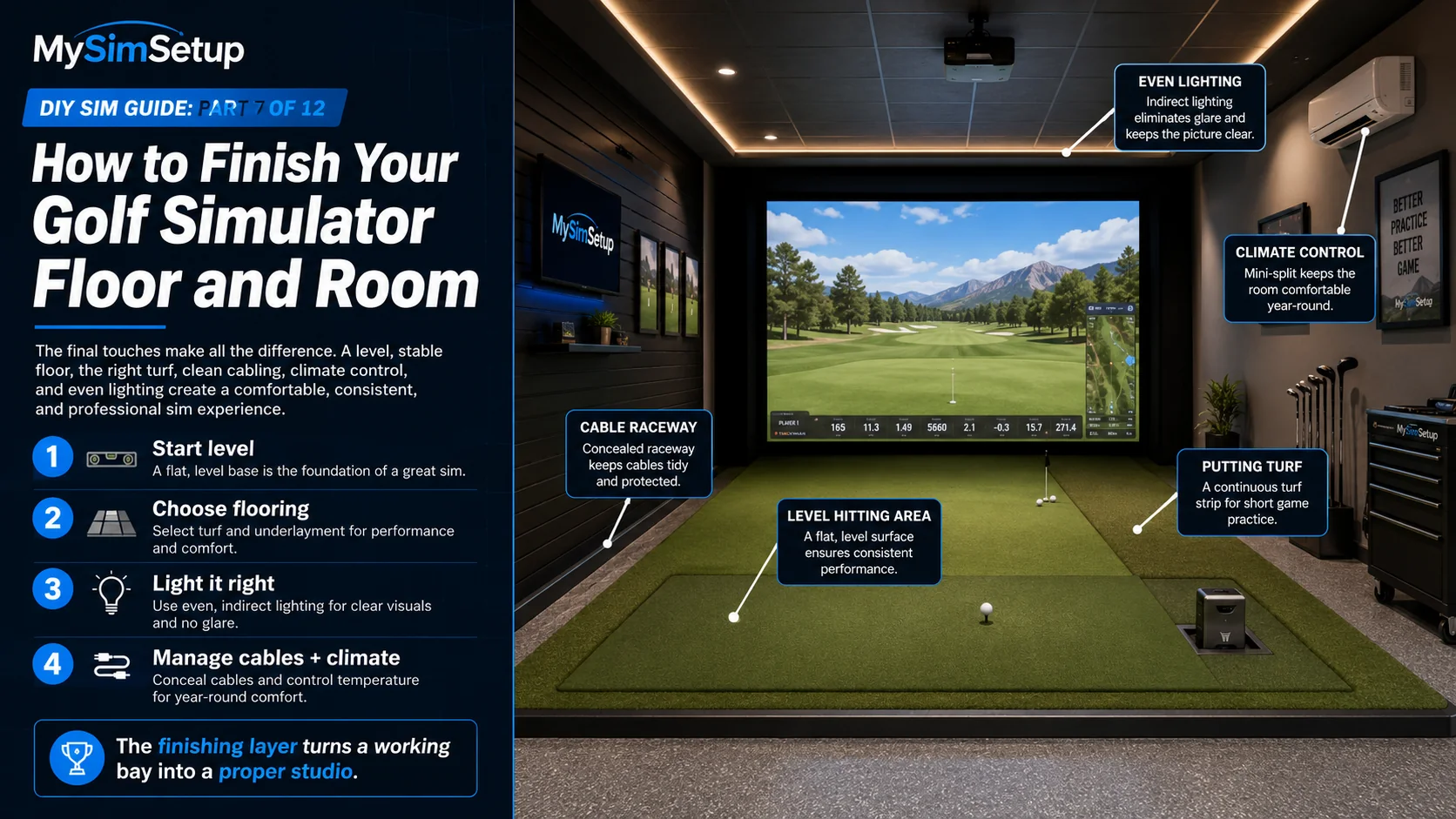
The finishing layer. A level floor, real putting turf, good lighting, and tidy cable runs turn a working bay into a room you actually want to spend time in.
By now you have the big components chosen; this chapter is about the room they live in. The finishing layer, leveling, flooring, putting turf, lighting, cable management, and climate, is what separates a pile of gear from a proper studio. It also quietly affects performance: an unlevel floor skews your stance and your launch-monitor data, and bad lighting can confuse a camera-based unit. Here is how to finish the space so it plays well and feels great.
Start level
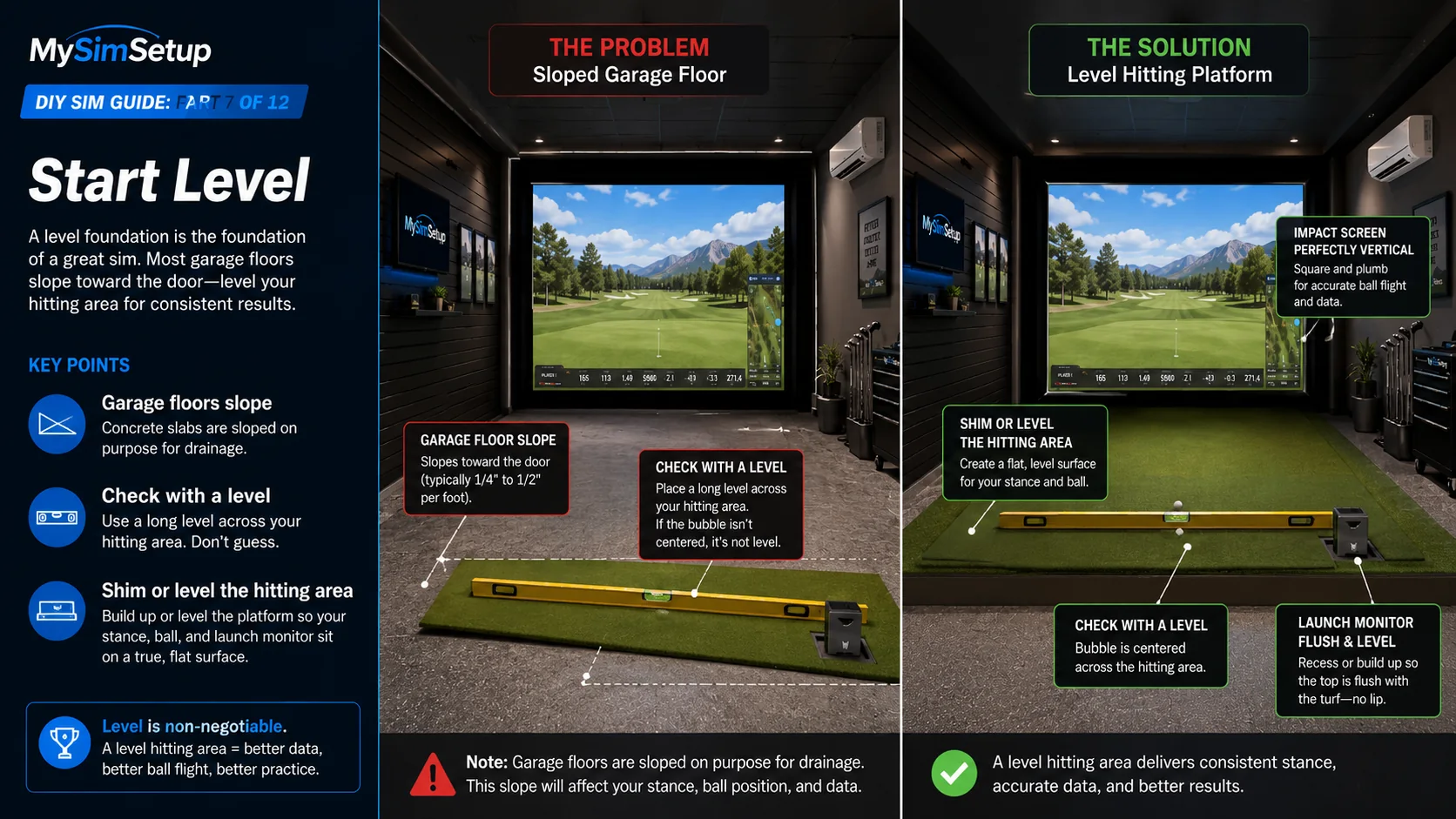
Before anything else, check whether your floor is level across the hitting area. An unlevel surface tilts your stance, changes the relationship between the ball and the launch monitor, and can throw off readings, all for a reason that is invisible until you look for it. Lay a level across the hitting zone and shim or level as needed so you are standing and swinging on a true surface.
Flooring options
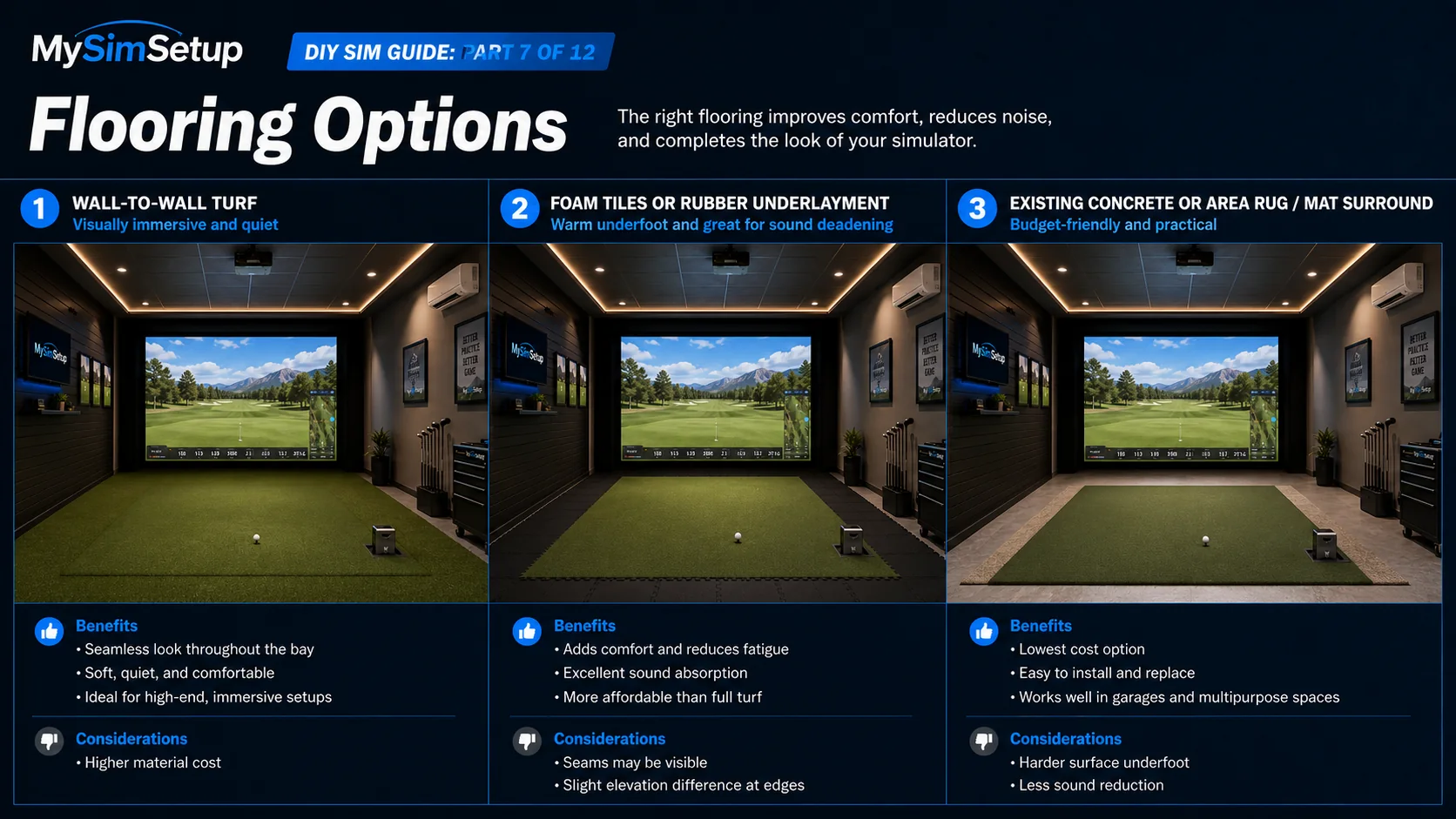
Wall-to-wall turf
The most immersive and cohesive look: turf across the whole bay ties the room together, deadens sound, and feels like a course. It costs the most and takes the most work to install cleanly, but the payoff in feel and quiet is real.
Foam tiles or underlayment
Interlocking foam tiles or a rubber underlayment are cheap, warm underfoot, forgiving to stand on, and excellent at deadening the thump of impact into the floor below, a great choice over concrete, especially in a basement above living space.
Concrete or a rug
The budget path is to leave the existing floor and add an area rug or a mat surround for footing and warmth. It works, though you give up some sound-deadening and the finished look of turf or tile.
Putting turf
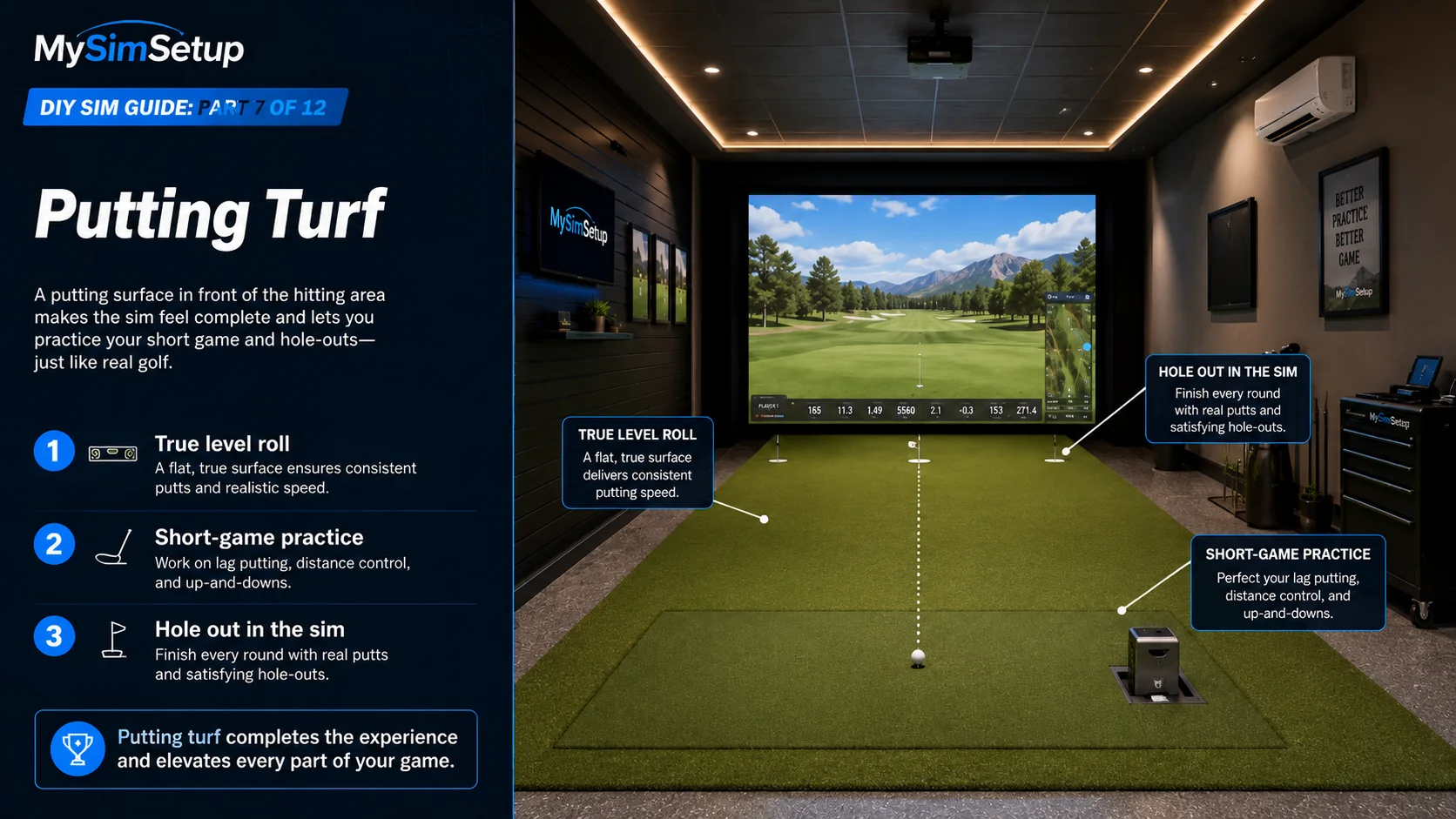
Adding a putting surface in front of the hitting area lets you actually hole out and practice the short game your scores depend on. Pay attention to the roll speed of the turf you choose and give yourself a few feet of true, level surface. Even a modest putting strip makes the sim feel far more complete.
Lighting
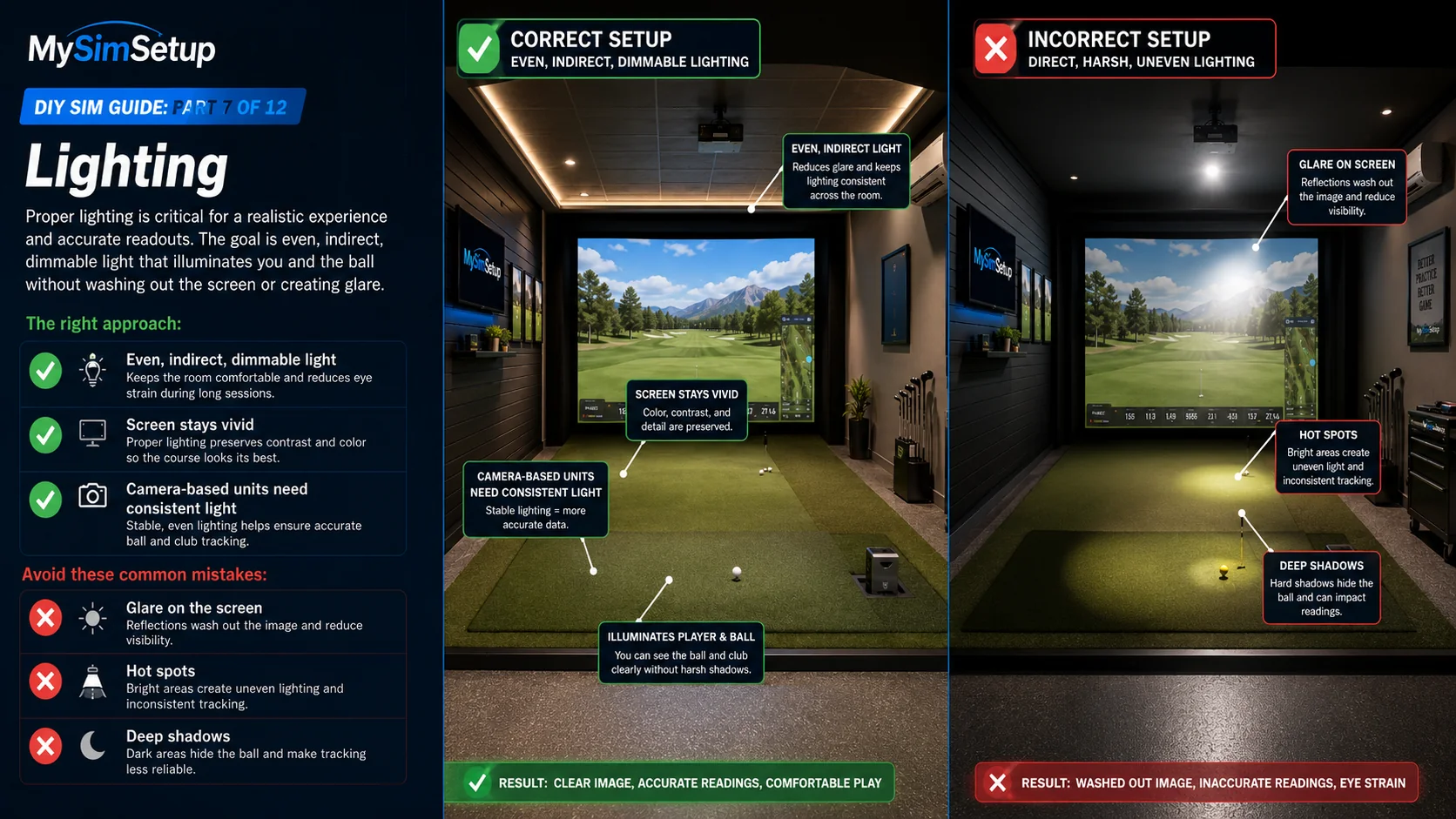
Aim for even, indirect light with no glare hitting the screen and no harsh spots or deep shadows in the hitting area. Dimmable fixtures let you match the room to the moment: brighter for setup and streaming, darker for the most vivid projected image. Position lights so they illuminate you and the ball without washing out the screen.
Cable management and power
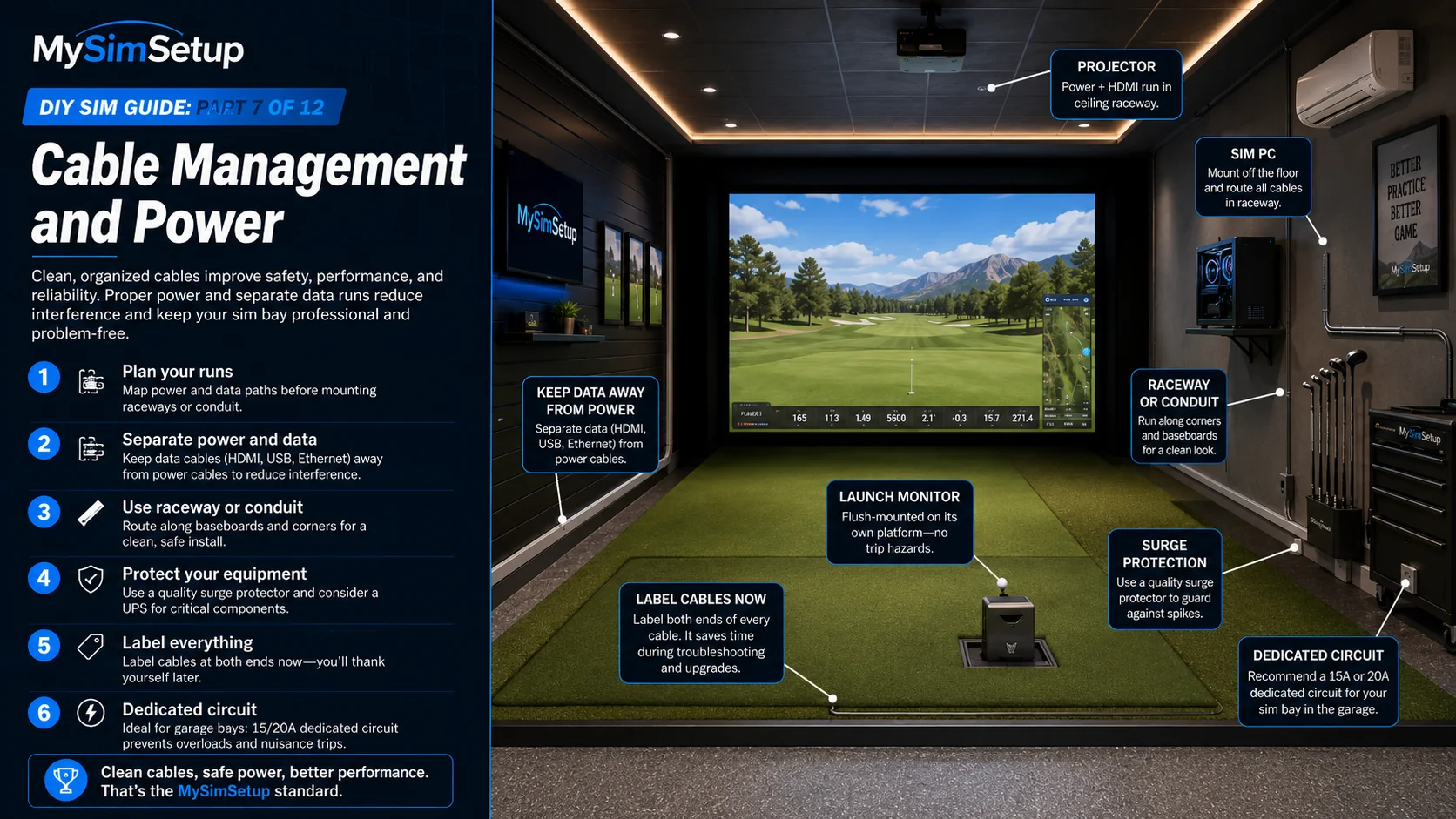
A sim has real power needs: the projector, PC, launch monitor, and lighting all draw at once. Do not daisy-chain cheap power strips; use quality surge protection and, for a garage bay, consider a dedicated circuit. Run cables in raceway or conduit for a clean, safe look, keep data cables away from power lines to avoid interference, and label everything now, because future-you will be grateful when something needs unplugging.
Climate
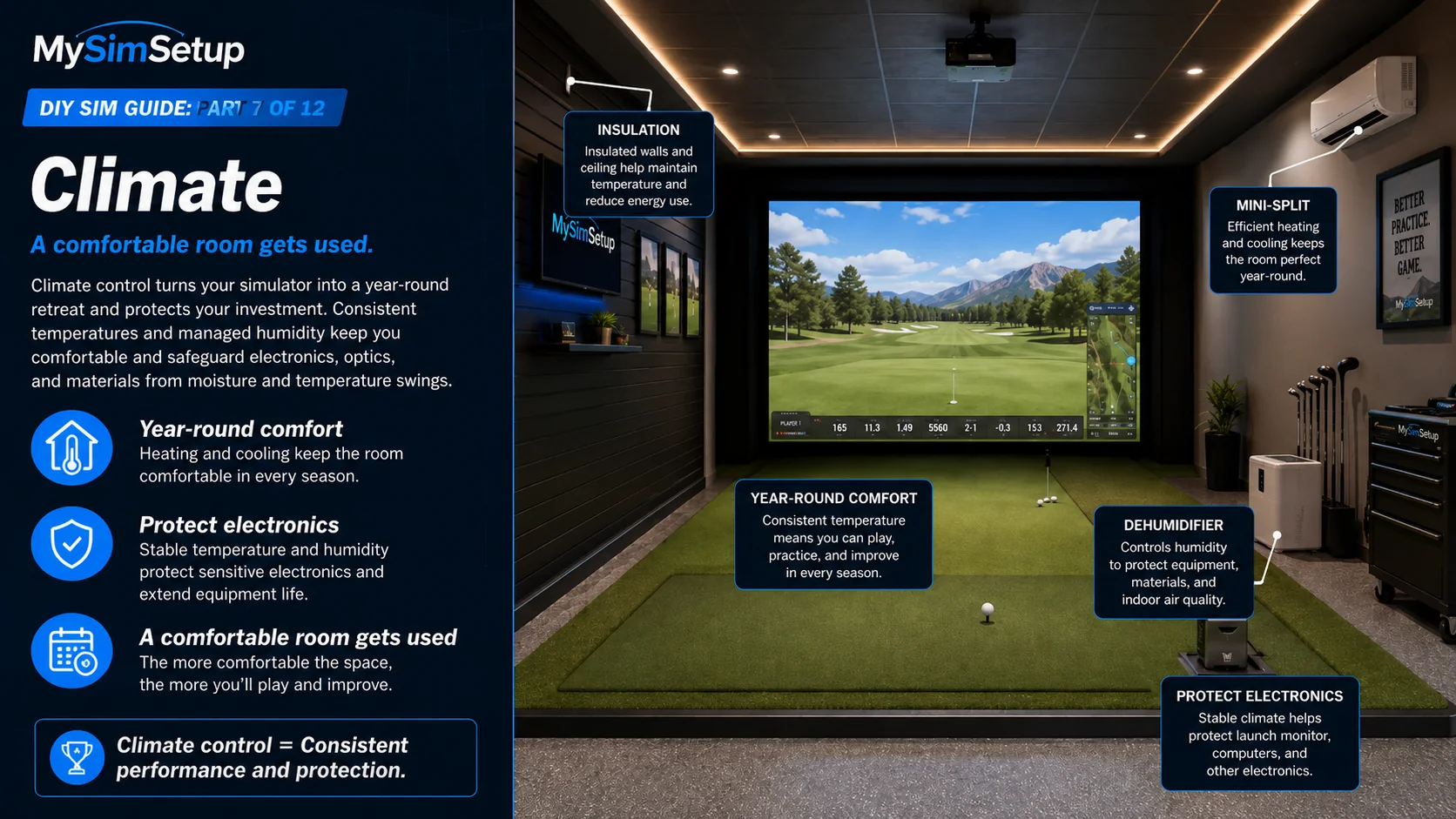
A comfortable room is a used room. Insulation, a mini-split for heating and cooling, or a dehumidifier keep the space usable year-round and protect your electronics from temperature and humidity extremes, especially in garages and basements. Comfort is not a luxury here; it is what determines whether you actually play.