How to Plan Your Golf Simulator Space
Before you buy a single component, measure. Your room decides what you can build, so here is exactly what to check and why.
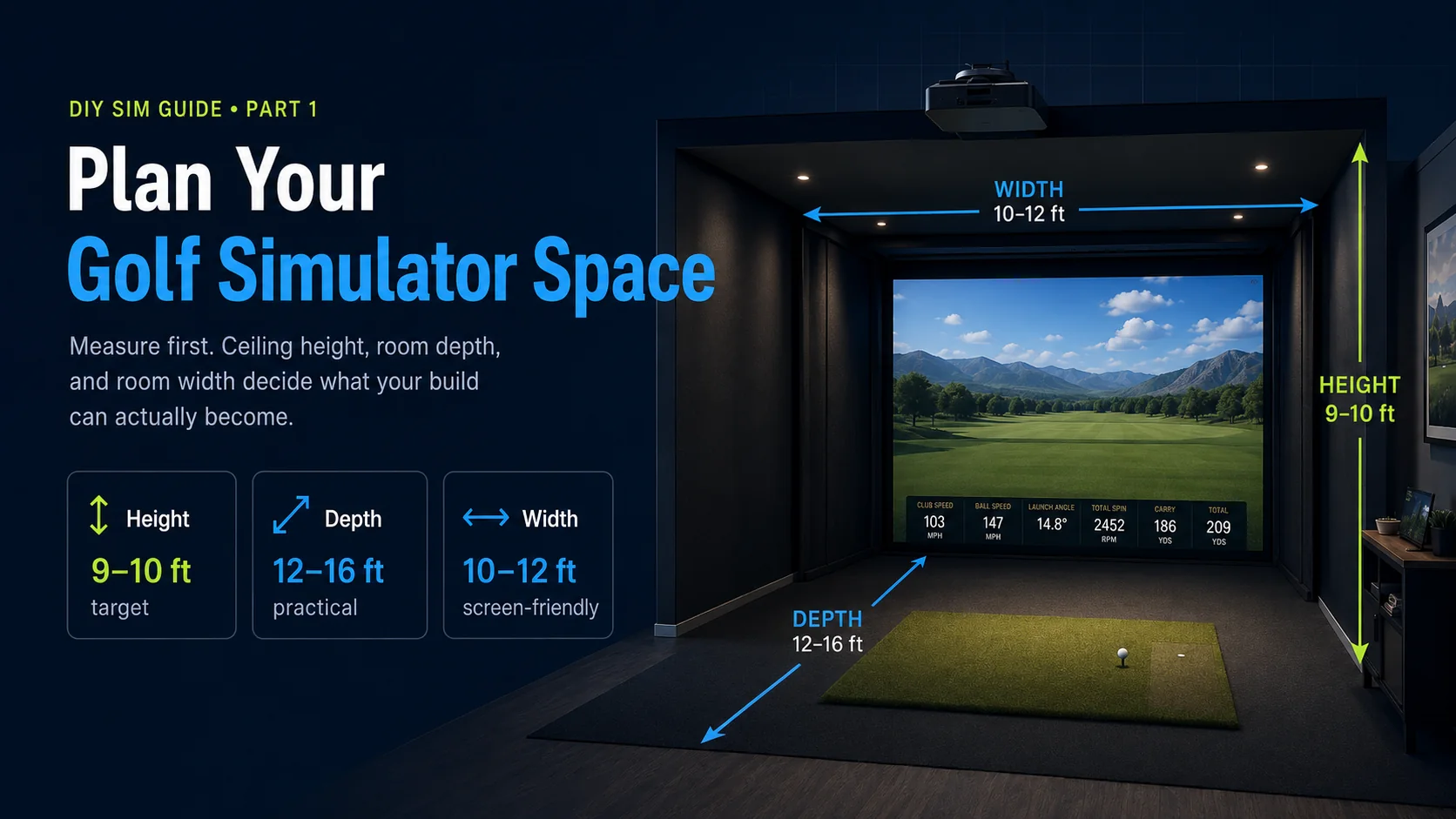
Every great home golf simulator starts the same way, with a tape measure and not a shopping cart. The single most common and most expensive mistake DIY builders make is buying gear first and discovering later that the ceiling is two inches too low for a full driver swing, or that the projector cannot throw a full-size image in the space they have. Get the room right and everything downstream gets easier. This chapter walks you through the three measurements that matter most, the clearances the spec sheets never mention, and how to turn your real room into a working plan. The diagram above shows the three numbers to write down first.
The three numbers that decide your build
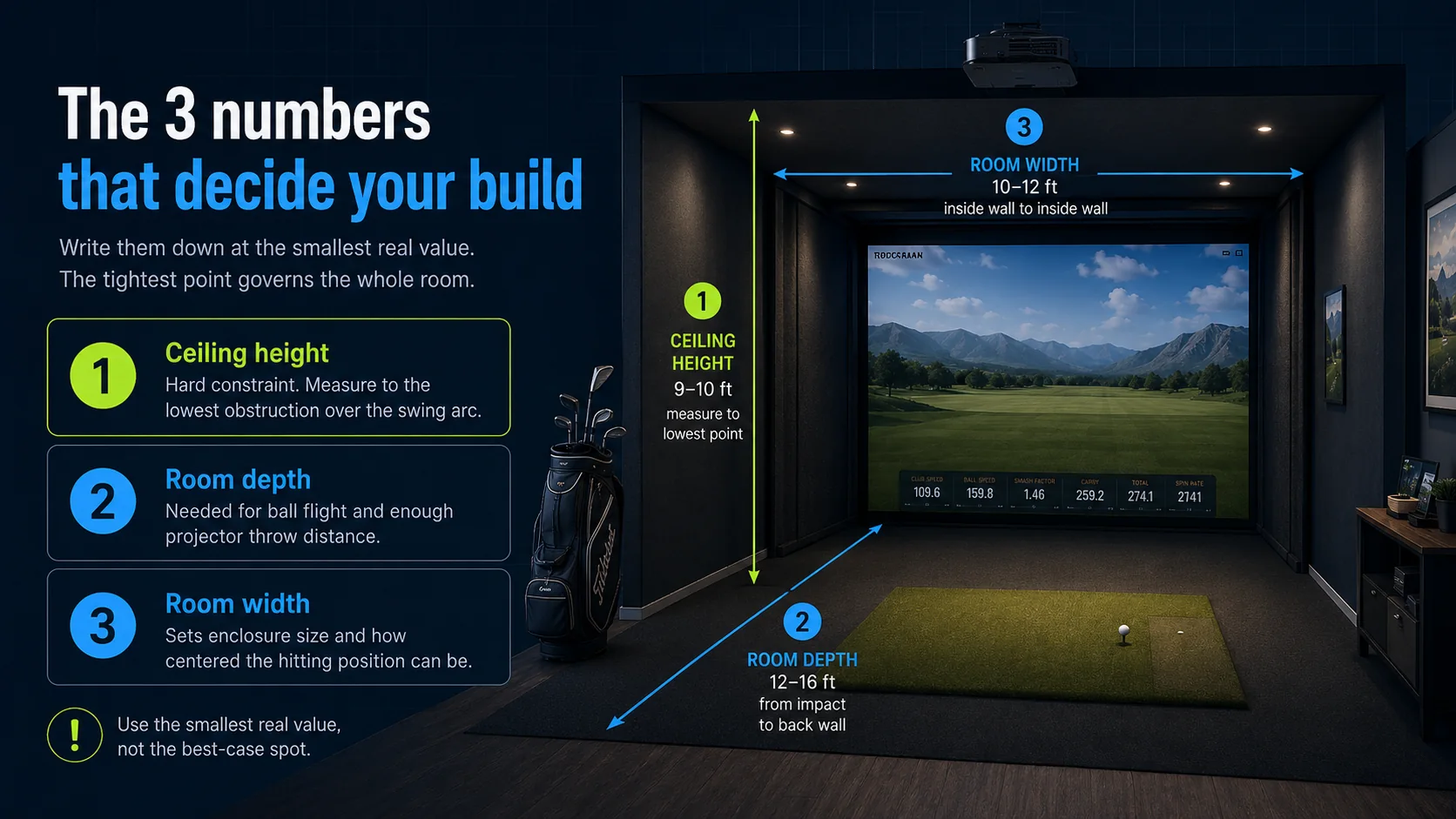
Ceiling height, room depth, and room width, in that order of importance. Height is the hard constraint, because you cannot negotiate with a joist. Depth determines whether the ball has room to fly and whether the projector can fill the screen. Width sets your enclosure size and how centered your hitting position can be. Write all three down at their smallest real value, because the tightest point in the room is the one that governs the whole build.
Ceiling height: measure the lowest point
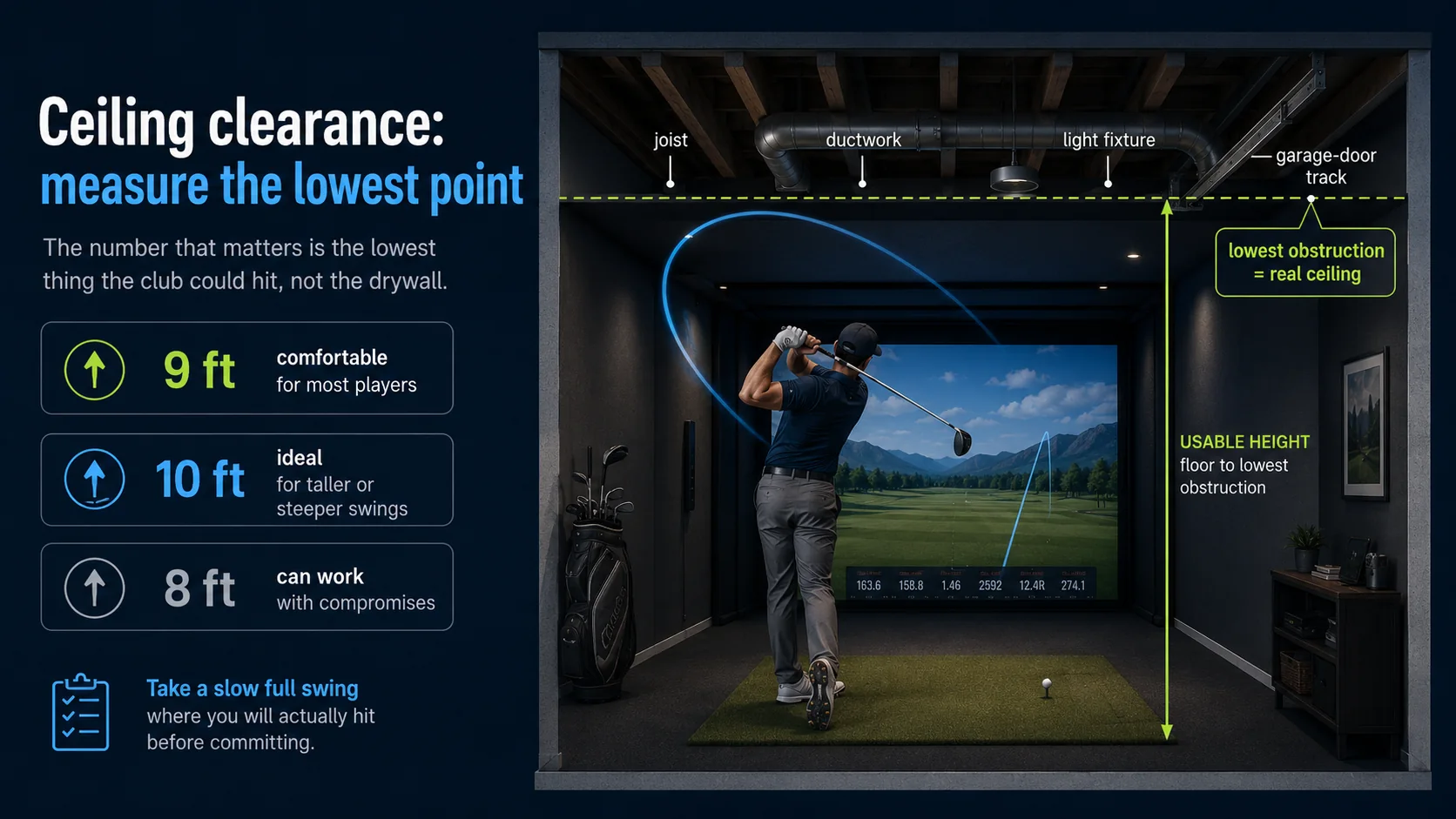
A comfortable full swing for most players needs about 9 feet of clearance, and taller golfers and steep swingers want closer to 10 feet. You can absolutely build in 8-foot rooms, and thousands of people do, but you may need to shorten your backswing, choke down, or accept the occasional ceiling tap with a driver. The number that matters is not the height in the middle of the room. It is the height at the lowest obstruction over your swing arc: joists, ductwork, light fixtures, or a garage-door track.
If height is tight, a few things help: mount the hitting mat as thin as possible, because a thick tower mat steals inches you cannot spare; position your stance so the highest point of the club misses the lowest obstruction; and consider a swing camera or an overhead launch monitor placement that tucks against the ceiling rather than hanging into the swing plane.
Room depth: ball flight plus projector throw
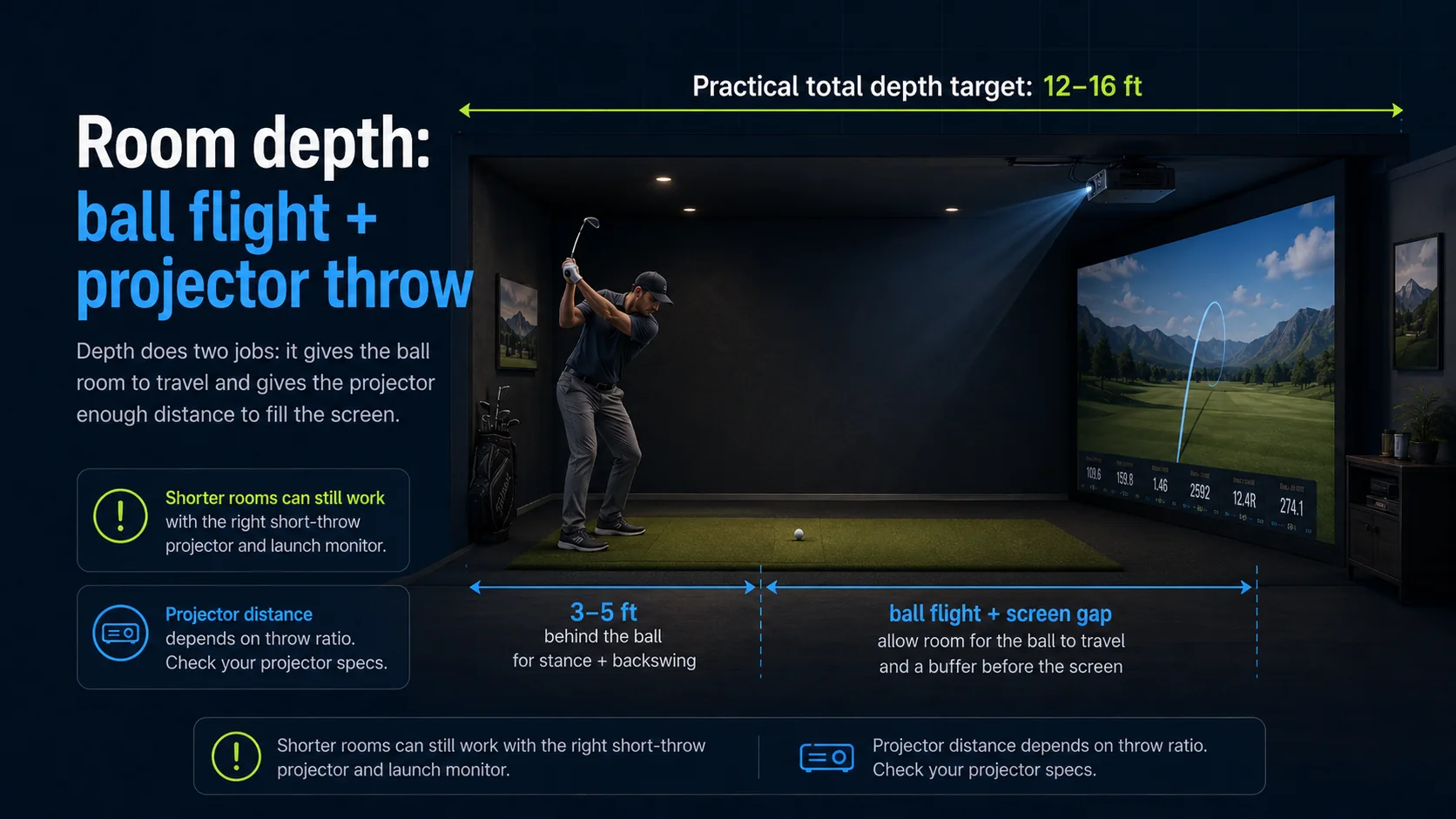
Depth is doing two jobs at once. First, the ball needs room to travel from your clubface to the screen so the launch monitor can read it and so the ball decelerates before impact. Most camera-based units want several feet of ball flight, and you want the screen far enough away that a hard strike is not slamming into it from point-blank range. Second, the projector needs enough distance to throw a full-size image. A practical target is 12 to 16 feet of total depth from the back wall where you stand to the screen, though shorter rooms work with the right short-throw projector and launch monitor.
A useful way to split it: give yourself roughly 3 to 5 feet behind the ball for your stance and backswing, and leave enough in front for the ball to fly and the projector to reach. The exact projector distance depends on its throw ratio and your screen width, which we cover in the Projector chapter, but knowing your depth now tells you which projectors are even candidates.
Room width: enclosure and centering
Width sets how wide your enclosure and screen can be and whether both a right- and left-handed golfer can play comfortably. A common, comfortable impact screen is around 10 to 12 feet wide, and you want a foot or more of clearance on each side of the screen for the frame and for mis-hits. If you can only fit a narrower screen, that is fine, you simply set the image and your stance accordingly. If two-handedness matters, with a lefty and a righty sharing the bay, plan for a wider enclosure and a centered hitting position.
The clearances the spec sheets skip
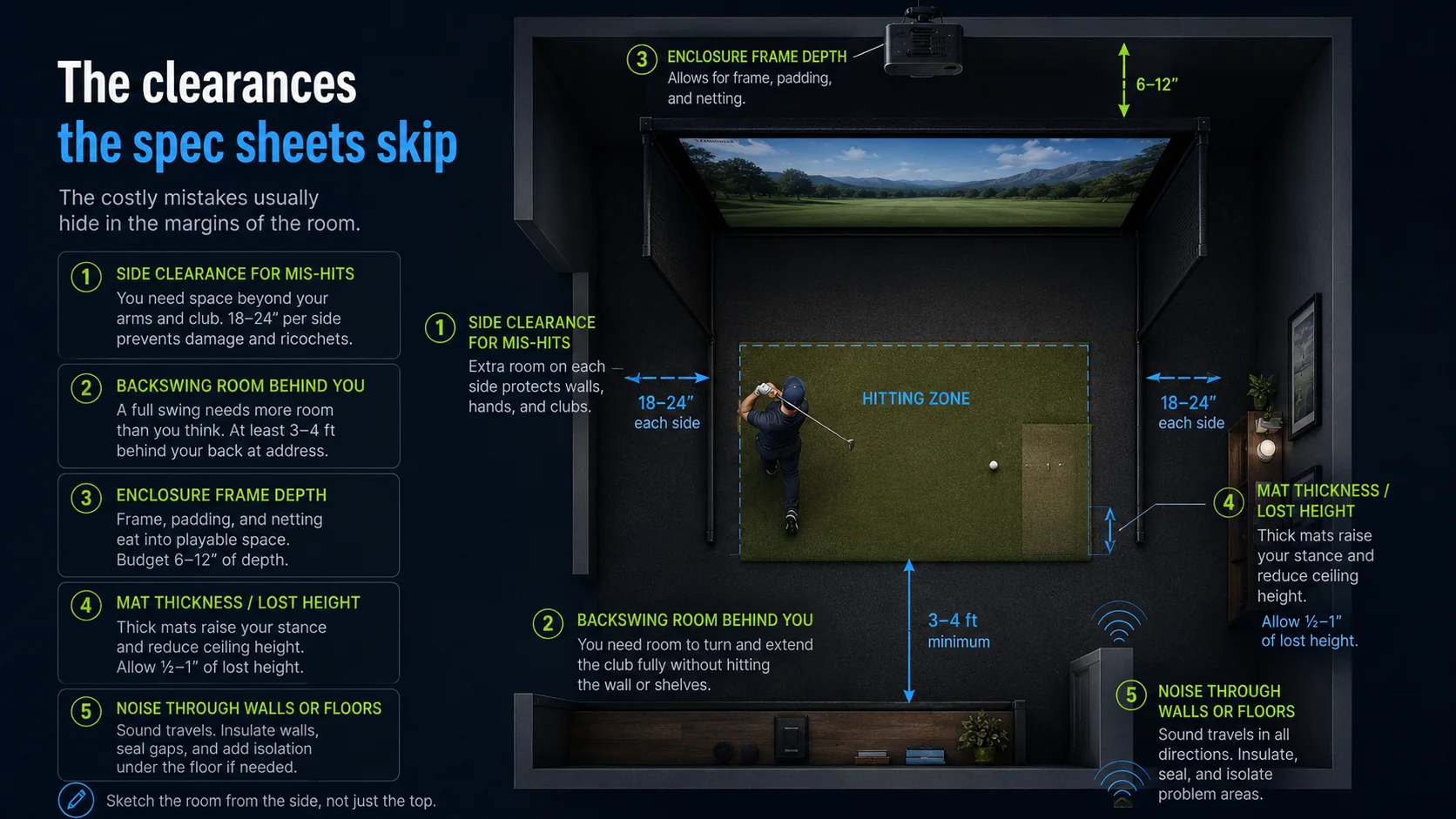
Beyond the big three, a handful of real-world clearances quietly ruin builds if you ignore them. Leave side clearance for shanks and heel and toe mis-hits, because the screen and side netting exist precisely because not every shot is pure. Leave room behind you so your backswing does not clip a wall, a shelf, or a water heater. And account for the depth of the enclosure frame itself and the mat, which push your effective playing space forward. Sketch the room from the side, not just the top, so you can see the swing arc against the ceiling.
Garage, basement, or spare room?
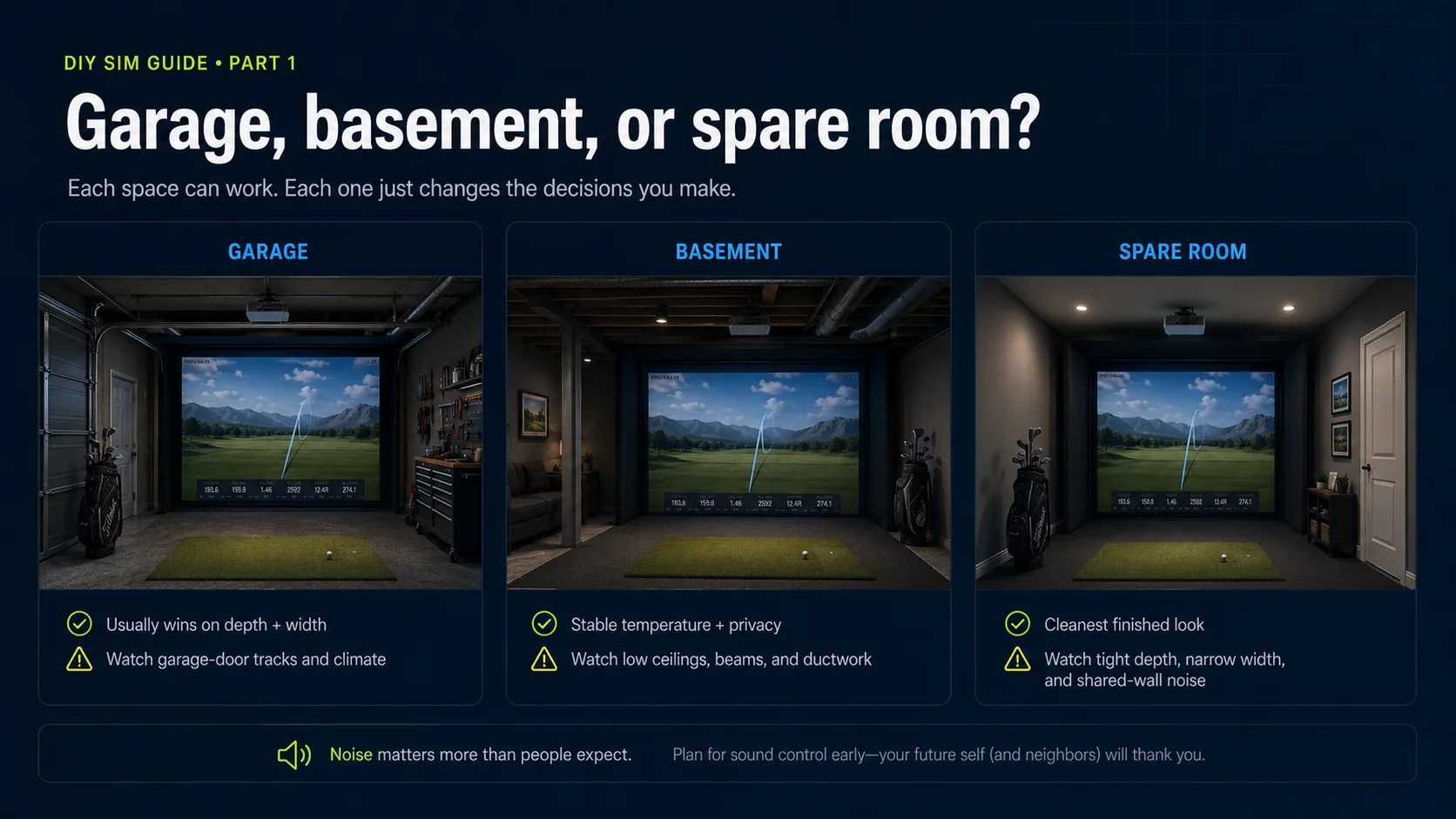
Each space has a personality. Garages usually win on depth and width but fight you on ceiling height, thanks to that door track, and on climate, so you may want insulation, a mini-split, or a portable heater and AC to make it usable year-round. Basements often have the best temperature stability and privacy but the lowest ceilings and the most ductwork to work around. Spare rooms and bonus rooms are the friendliest to finish and light but are usually the tightest on depth. None of these is disqualifying, each one just nudges your component choices.
Turn your measurements into a plan
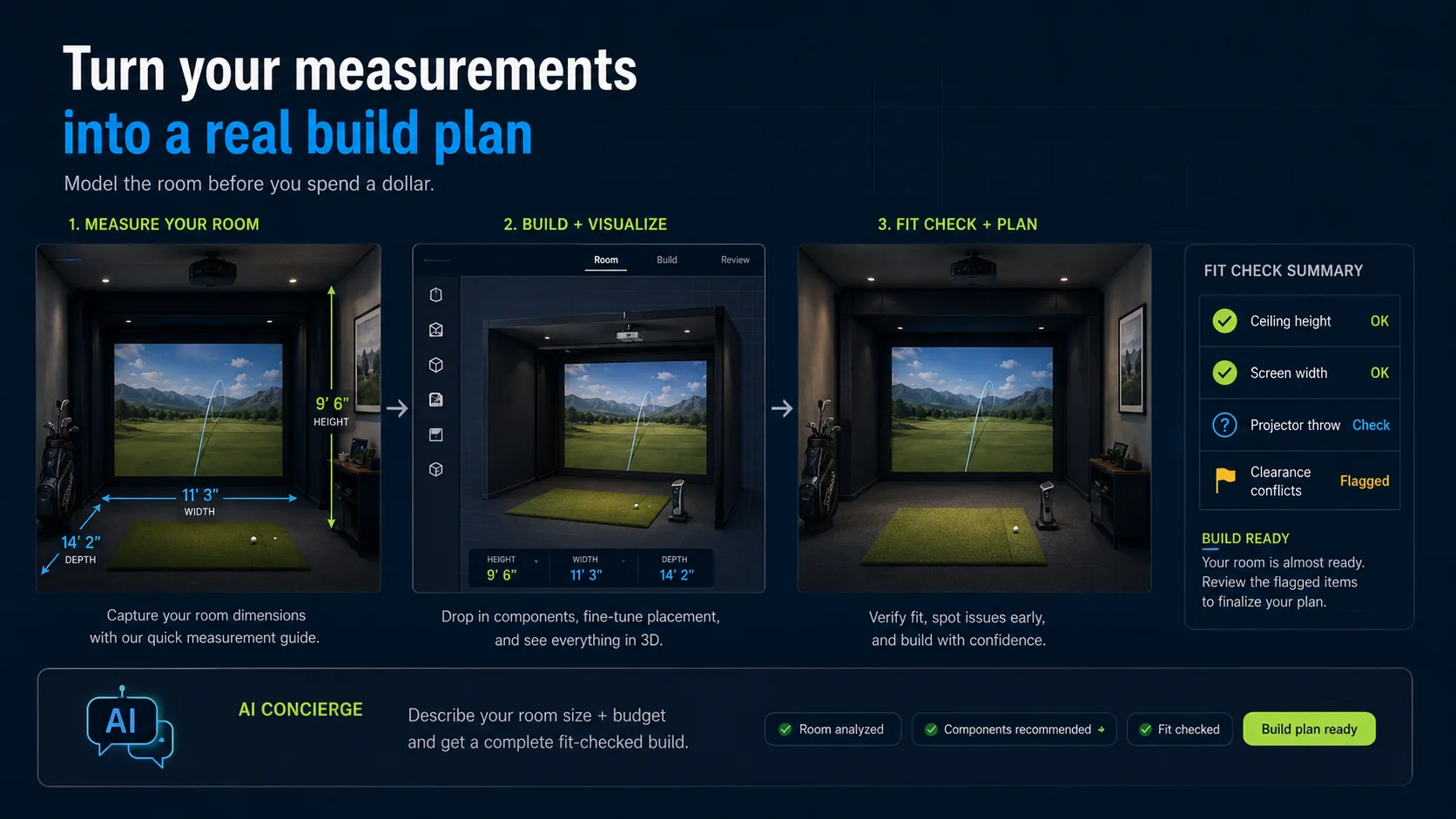
Once you have your three numbers and your clearances, the fastest way to see whether a real build fits is to model it. Our free 3D builder lets you enter your exact room and drop in real components, the screen, enclosure, projector, launch monitor, and mat, and it fit-checks everything against your dimensions, flags clearance problems, and prices the whole thing live as you go. It is the difference between hoping a build fits and knowing it does before you spend a dollar.
Prefer to describe your space and let us spec it for you? Tell the AI Concierge your room size and budget and it proposes a complete, real, fit-checked build you can open and tweak.