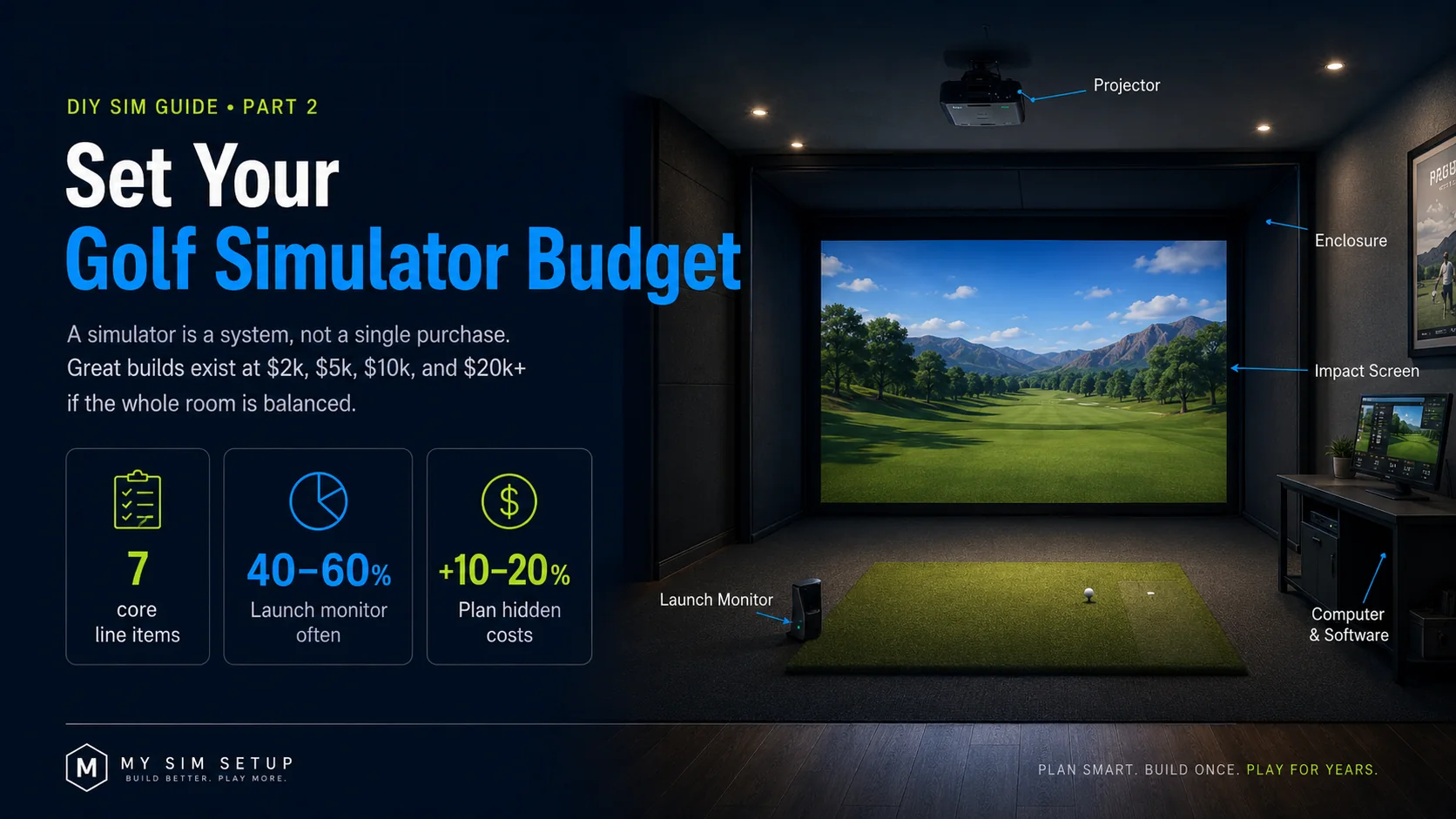
How to Set a Golf Simulator Budget
A simulator is a system, not a single purchase. Here is exactly where the money goes, and how to build a genuinely great one at $2k, $5k, $10k, or $20k.
A home golf simulator is not one thing you buy. It is a system of parts that have to work together: a launch monitor, a computer, software, a projector, an enclosure, an impact screen, and a hitting mat, sitting in a room you have prepped. The good news is that there is a great build at almost every budget. The trap is falling in love with one shiny component and starving the rest, so you end up with a tour-grade launch monitor firing into a wrinkled bedsheet. This chapter shows you the line items every build shares, where the dollars really concentrate, and four honest budgets you can actually hit.
The line items every build shares
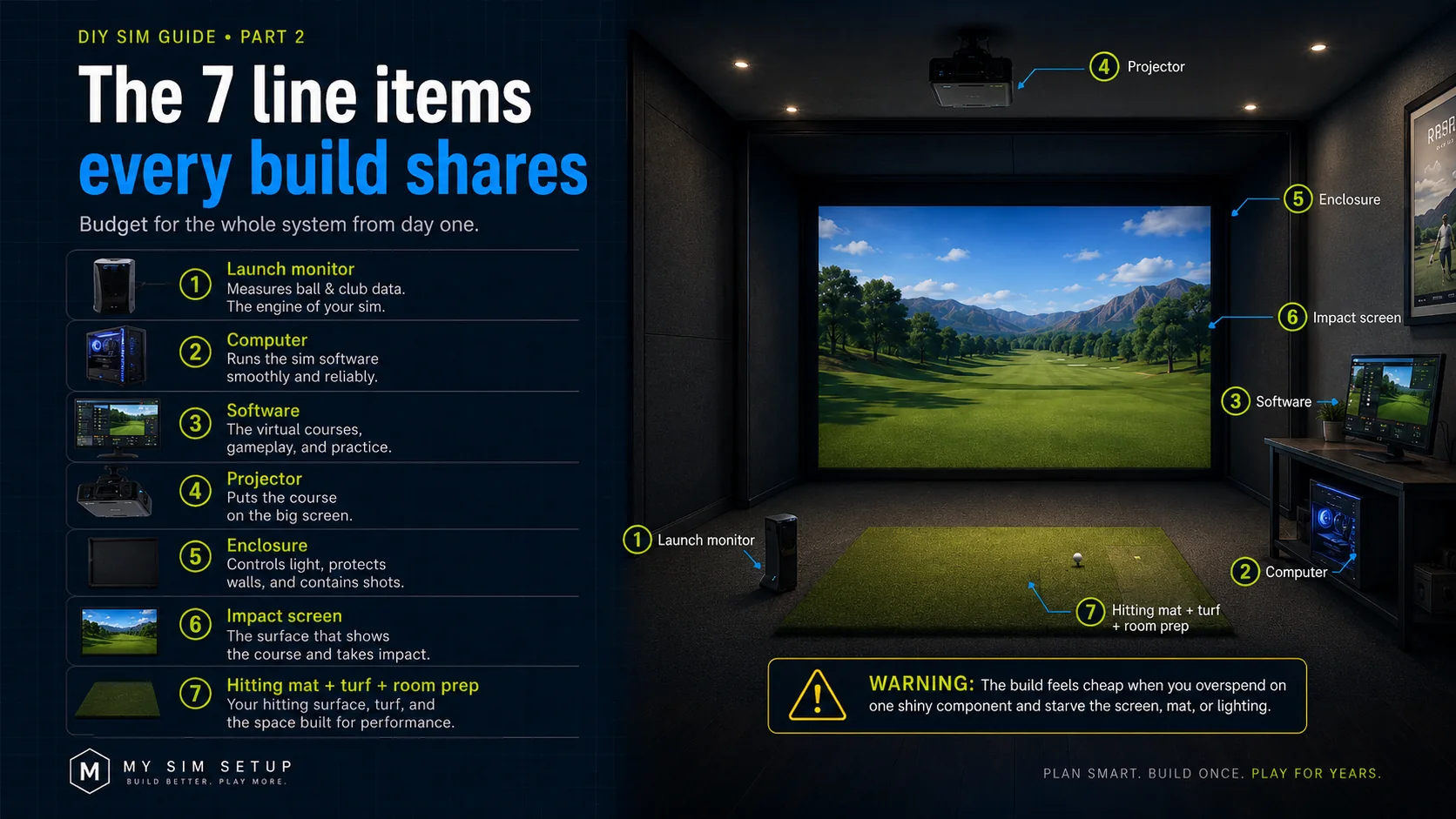
No matter the price, a complete simulator is roughly seven pieces: the launch monitor that measures your shot, the computer that runs the sim, the software with the courses and data, the projector that puts the image on screen, the enclosure that frames it, the impact screen that catches the ball and doubles as your display, and the hitting mat plus any turf and room prep. Budget for all seven from day one. The single biggest reason a build feels cheap is that someone spent 90% on the launch monitor and left nothing for the screen, mat, or lighting, the exact parts your eyes and body notice most.
Where the money actually concentrates
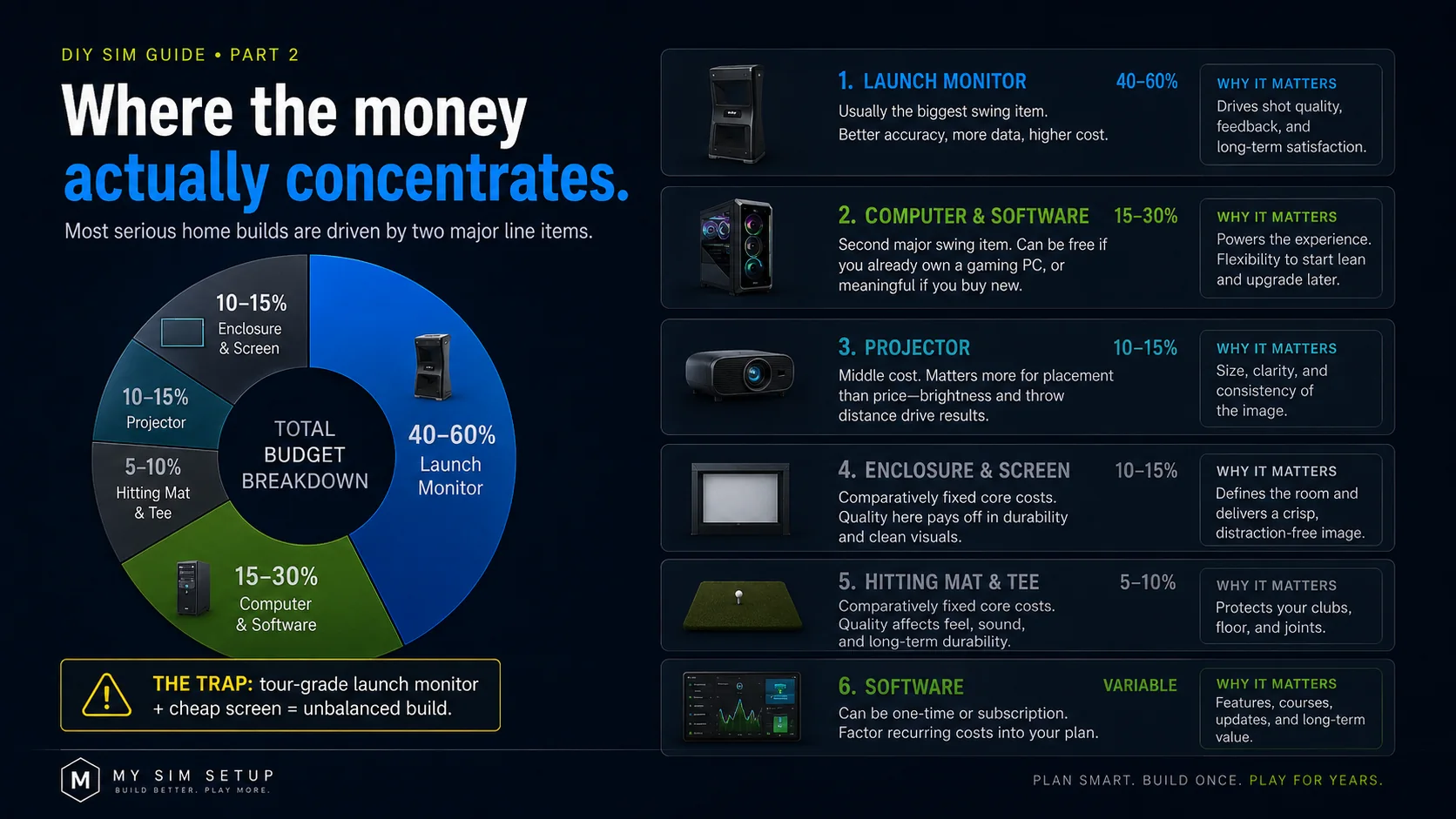
Two line items swing your budget the most: the launch monitor and the computer. The launch monitor spans from a couple hundred dollars to well over ten thousand, and it usually sets the tone and the floor for the whole build. The computer can be free if you already own a capable gaming PC, or a meaningful line item if you buy new. The projector is a middle cost that matters more for placement than price. The enclosure, screen, and mat are comparatively fixed, because you cannot really do a serious build without spending a fair, roughly predictable amount on each. And do not forget software, which can be a one-time purchase or an ongoing subscription depending on the platform.
Four honest budgets
$2,000: The Starter
Absolutely doable and genuinely fun. Here you pair an entry-level launch monitor, with great ball data and estimated club data, with a computer you already own, a mid-brightness projector, a DIY frame built from conduit or lumber, a good-value impact screen, and a solid foam-backed mat. You are prioritizing playability over pro-level accuracy, and that is exactly right for a first build. Expect to do more of the labor yourself and to upgrade pieces over time.
$5,000: The Enthusiast
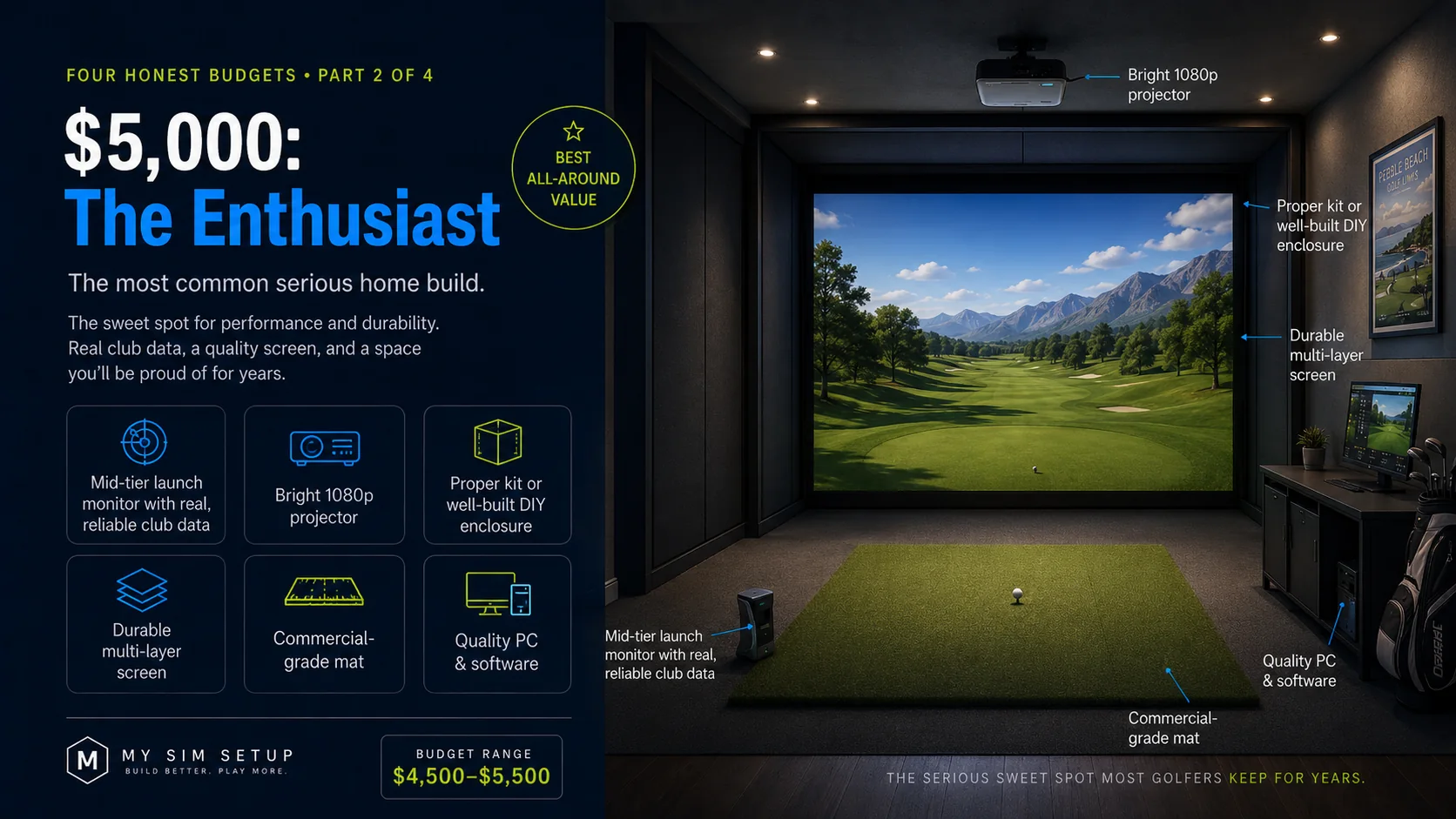
The most common serious home build. A mid-tier launch monitor with real, reliable club data anchors it, paired with a bright 1080p projector, a proper kit or well-built DIY enclosure, a durable multi-layer screen, and a commercial-grade mat. You still might reuse a PC, but you buy quality where it counts. This budget lands you a room you will be proud of and play for years.
$10,000: The Premium Room
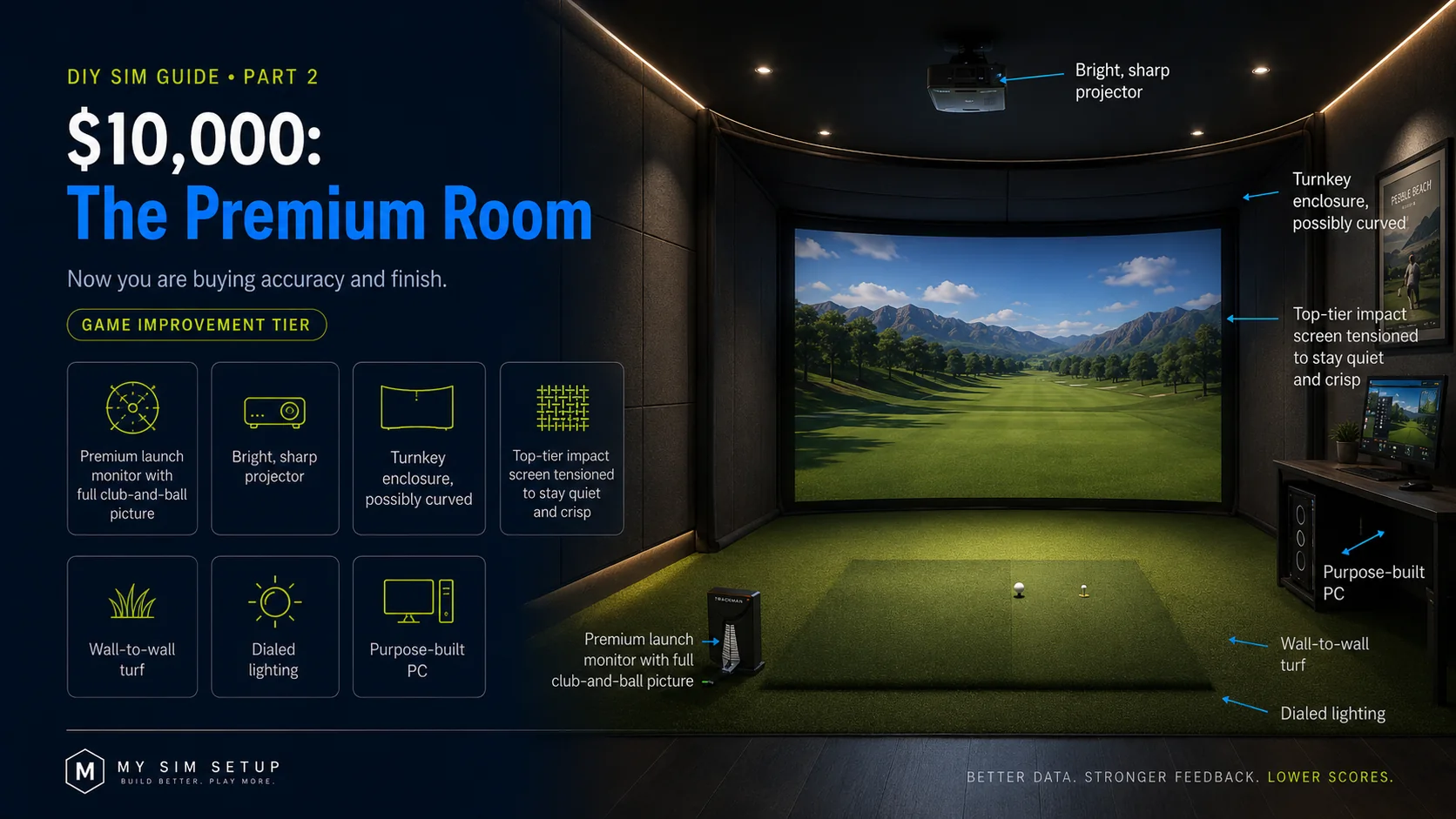
Now you are buying accuracy and finish. A premium launch monitor with a complete club-and-ball picture, a bright and sharp projector, a turnkey enclosure that may be curved, a top-tier screen tensioned to stay quiet and crisp, wall-to-wall turf, dialed lighting, and a purpose-built PC. This is the tier where the room looks like a studio and the data is good enough to actually improve your game.
$20,000 and up: The Showroom
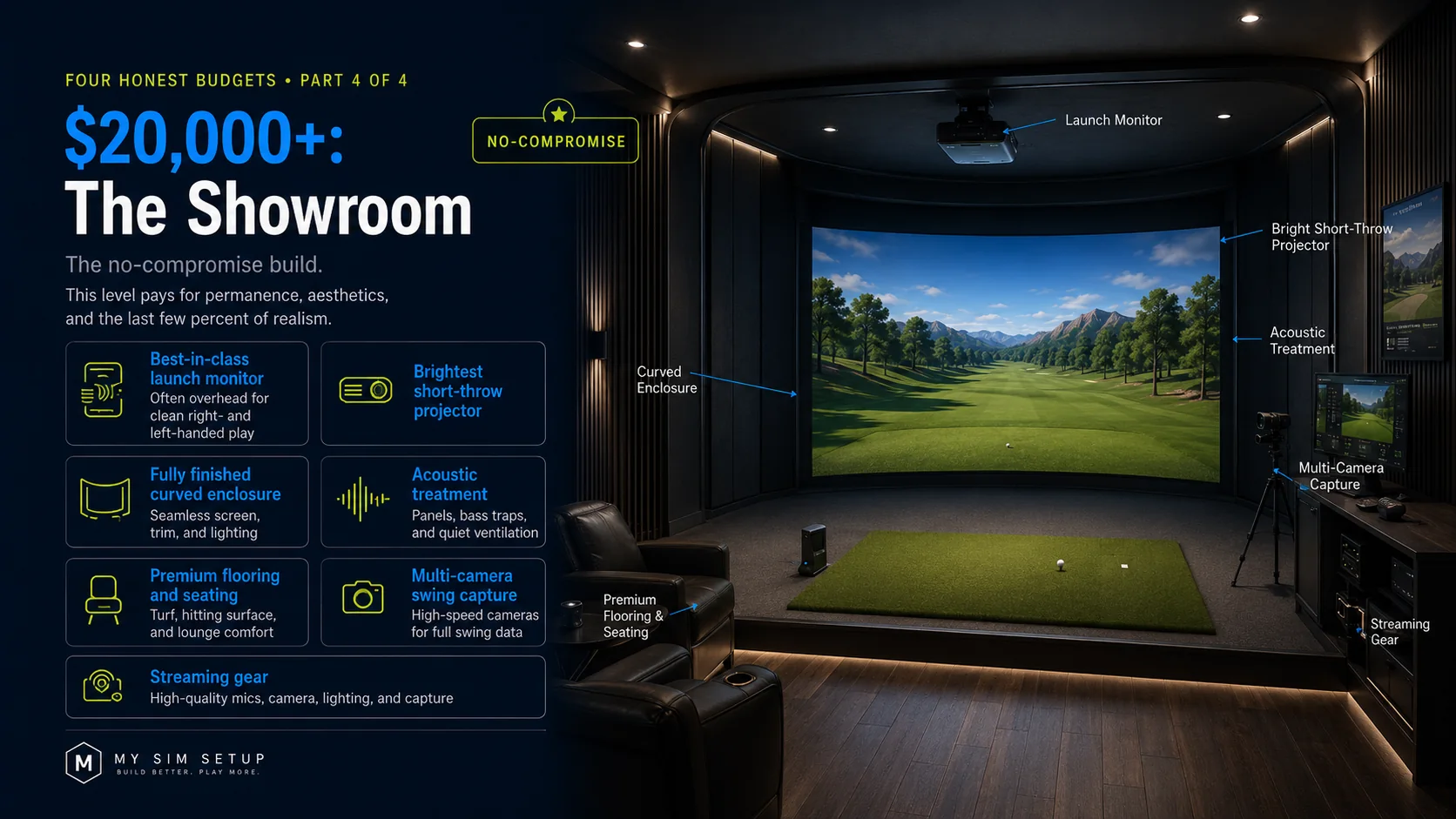
The no-compromise build, or a light-commercial bay. A best-in-class launch monitor, often overhead for clean right and left play, the brightest short-throw projector, a fully finished curved enclosure, acoustic treatment, premium flooring and seating, multi-camera swing capture, and streaming gear. At this level you are paying for permanence, aesthetics, and the last few percent of realism.
Where to spend and where to save
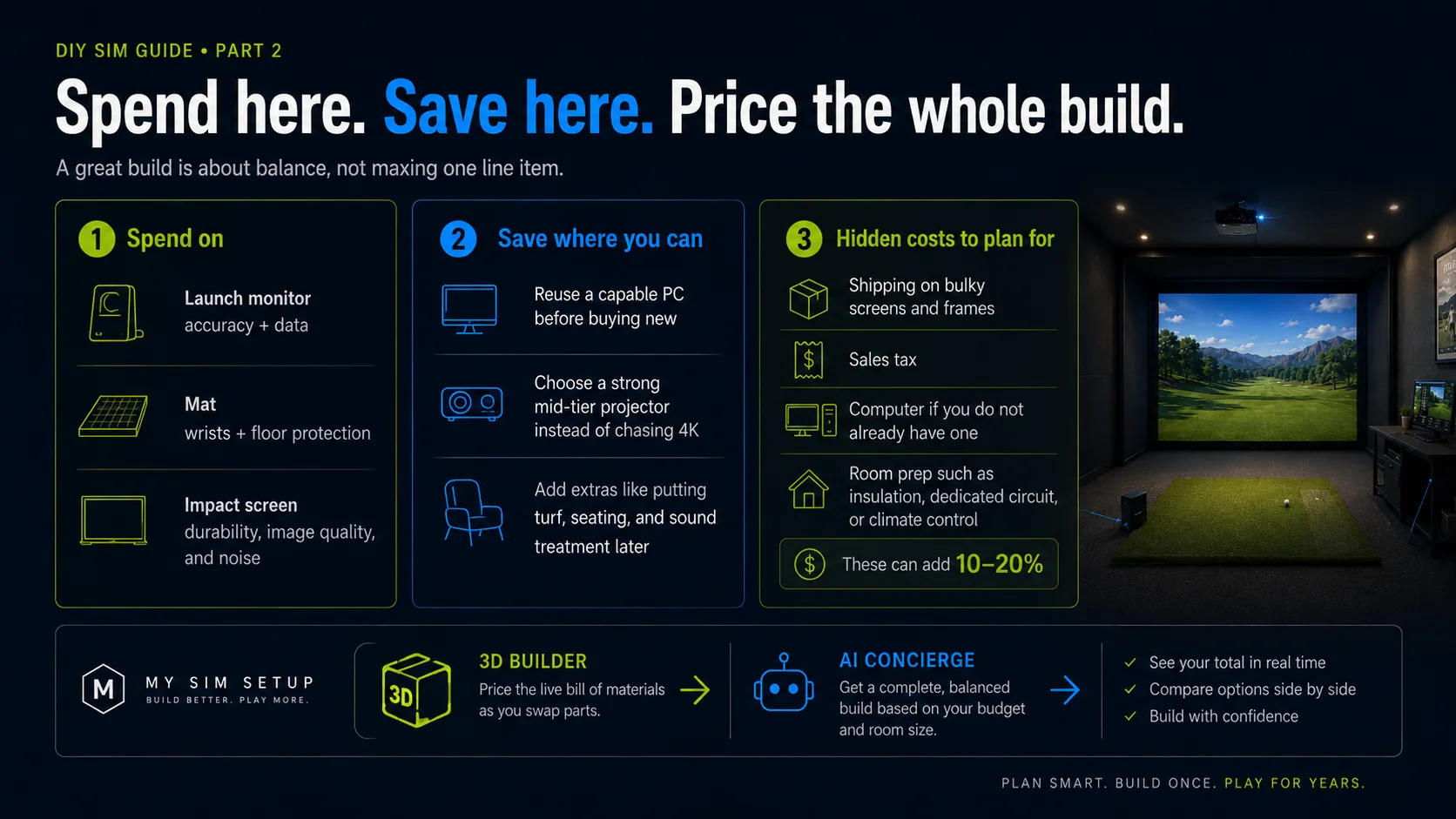
Spend on the launch monitor, because it is your accuracy and your data; the mat, because it is your wrists and your floor; and the impact screen, because it is durability, image quality, and noise, the parts you experience every session. Save where you sensibly can: reuse a capable computer before buying new, choose a strong mid-tier projector rather than chasing 4K you may not need, and add extras like putting turf, sound, and seating later once the core plays. A great build is about balance, not maxing one line.
Price the whole build before you commit
The fastest way to hold a budget is to build the whole thing virtually first. Our free 3D builder prices a live bill of materials as you add components, every part, across retailers, with the best current price, so you see the real total and not a guess before you buy anything. Swap a launch monitor or projector and watch the number move. That is how you find the balanced build your budget can actually support.
Have a firm number in mind? Tell the AI Concierge your budget and room, and it proposes a complete, balanced, fit-checked build that spends every dollar wisely.