How to Assemble and Wire Your Golf Simulator
Build order matters. Do it in the right sequence and everything lines up; do it out of order and you will be redoing work, and possibly hitting a screen that is not ready for it.
You have the components; now you assemble them into a bay. The difference between a smooth build and a frustrating one is almost always sequence. Build in the right order and each step sets up the next, skip around and you will find yourself loosening a frame you just tightened or re-aligning a projector for the third time. This chapter lays out the correct build order, then digs into framing, hanging and tensioning the screen, mounting the projector, and running power and data safely.
The right build order
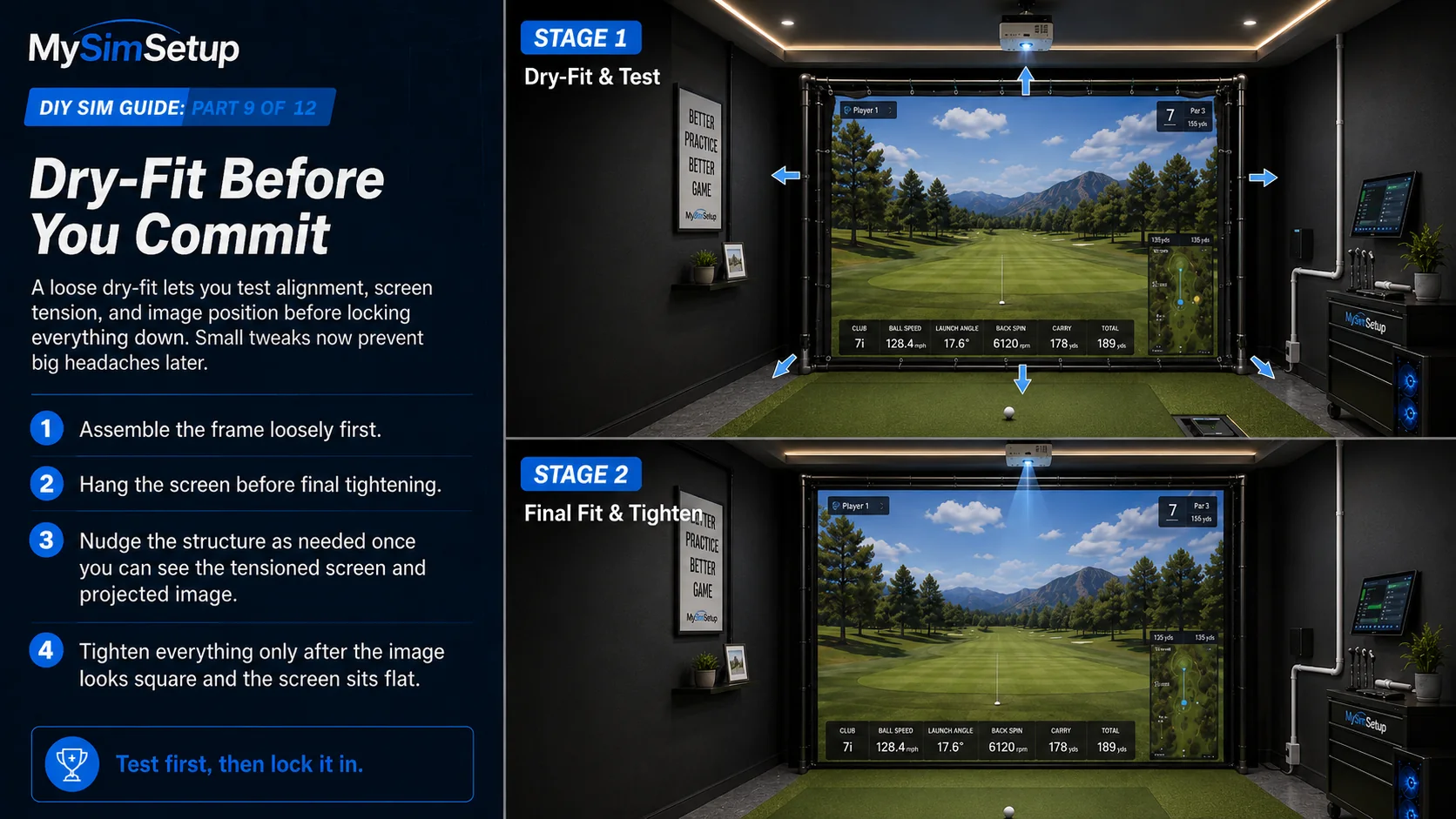
Work in this sequence: first prep and level the floor; second build the enclosure frame; third hang and tension the impact screen; fourth mount the projector and rough-align it; fifth place the hitting mat and set your hitting position; sixth install and position the launch monitor; seventh run power and data; and eighth calibrate (the next chapter). Each step depends on the one before it: you cannot align the projector until the screen is up, and you cannot set the launch monitor until the mat and hitting position are fixed.
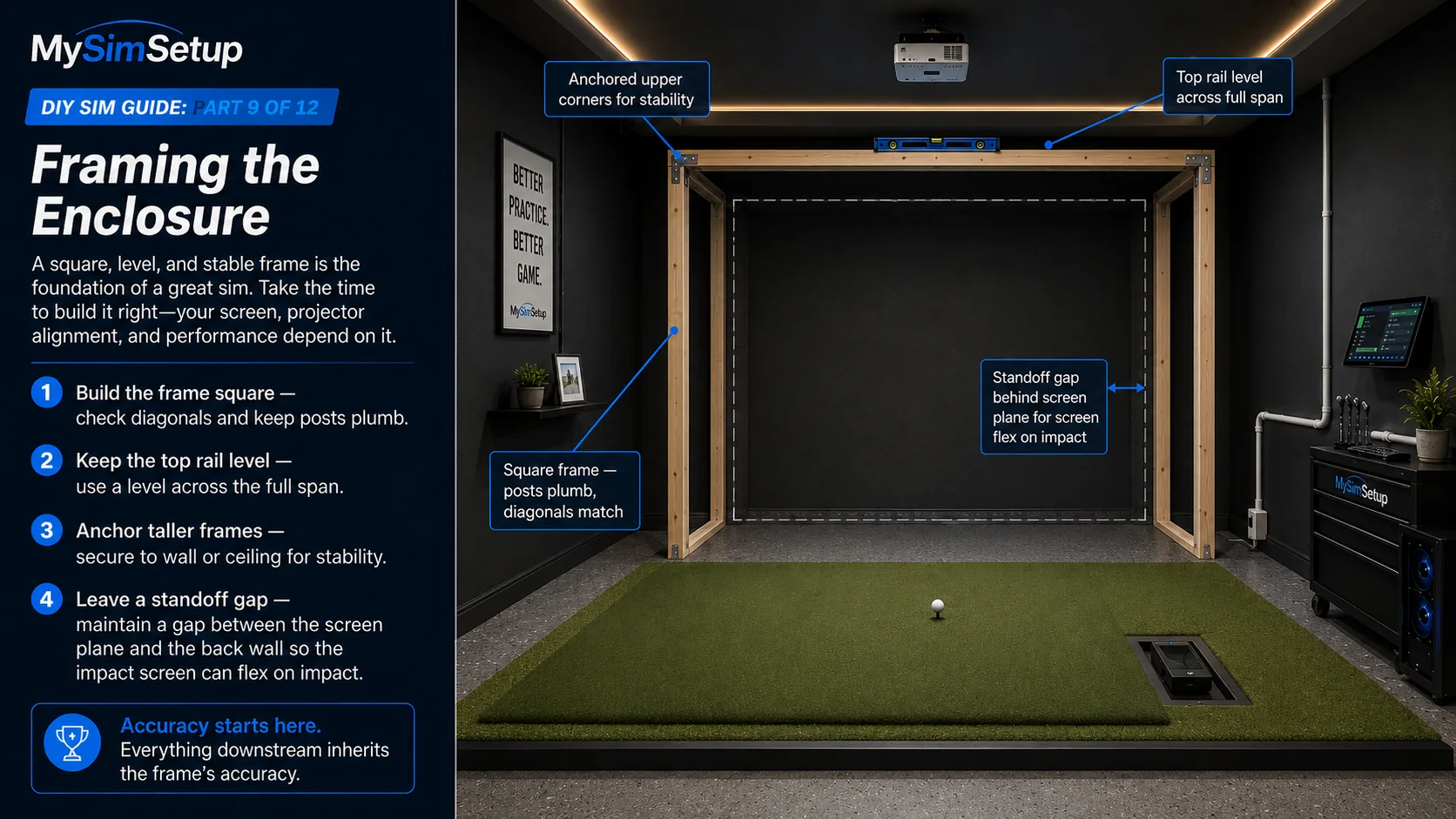
Framing the enclosure
Build the frame square and the top rail level, because a frame that is out of square will fight you when you tension the screen. For taller enclosures, anchor the frame to a wall or ceiling so a hard strike cannot rock it, and leave the standoff gap between the screen plane and the wall so the screen can flex on impact. Take your time getting the frame true; everything downstream inherits its accuracy.
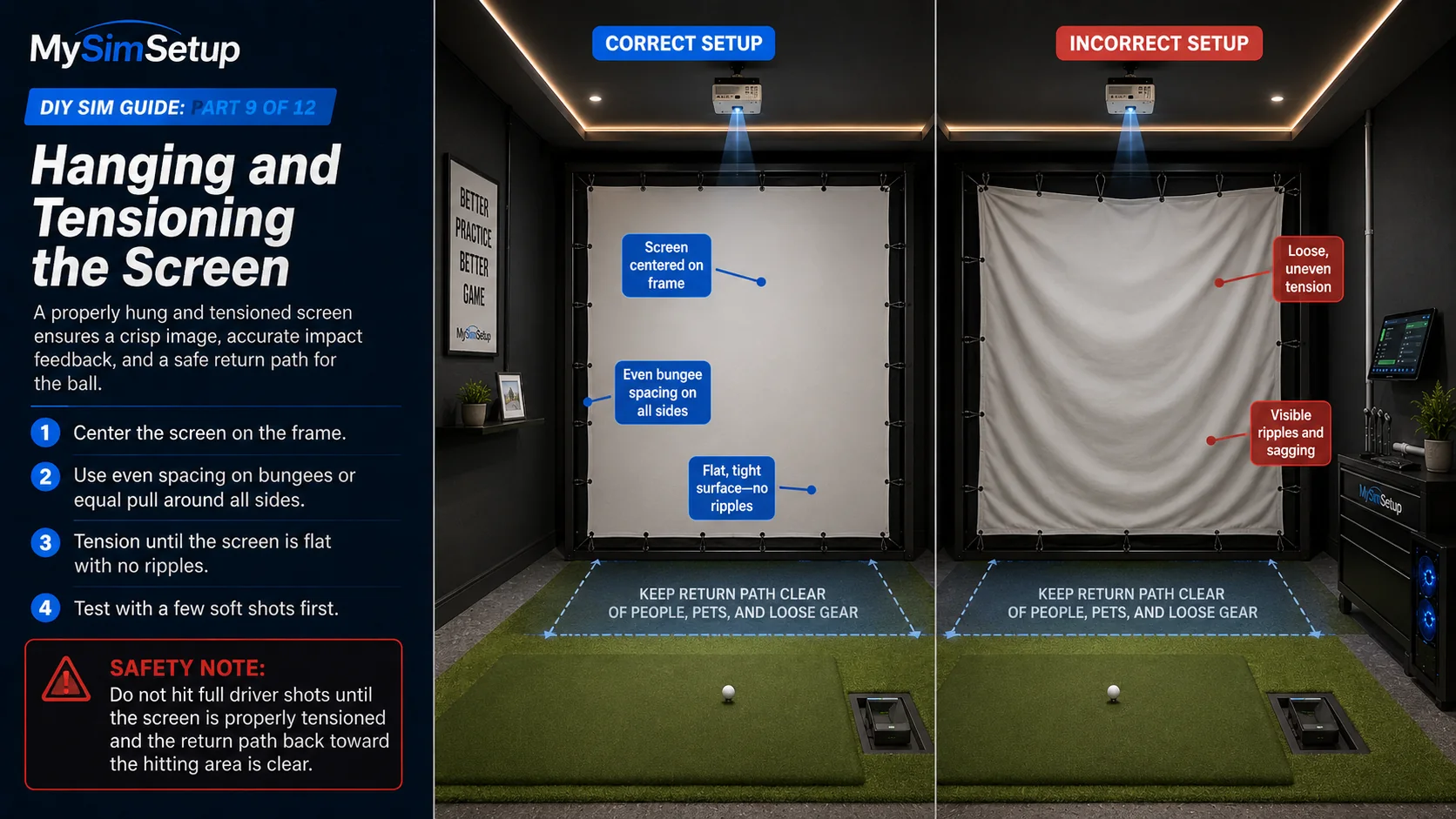
Hanging and tensioning the screen
Center the screen on the frame and tension it evenly on all sides, equal spacing on bungees or an even pull all around, until it is flat with no ripples or waves. Uneven tension shows up as a distorted image and a screen that flaps and booms; even tension gives you a crisp picture and a quiet, durable surface. Test with a few soft shots first to confirm it holds before you swing hard.
Mounting the projector
Mount the projector into solid structure, a stud or joist, not just drywall, using a proper ceiling plate and pole or shelf. Leave a service loop of cable slack so you can adjust it, and rough-align it now: get the image roughly centered and sized, then save the fine alignment (lens shift, focus, squaring) for calibration once everything else is fixed in place.

Running power and data safely
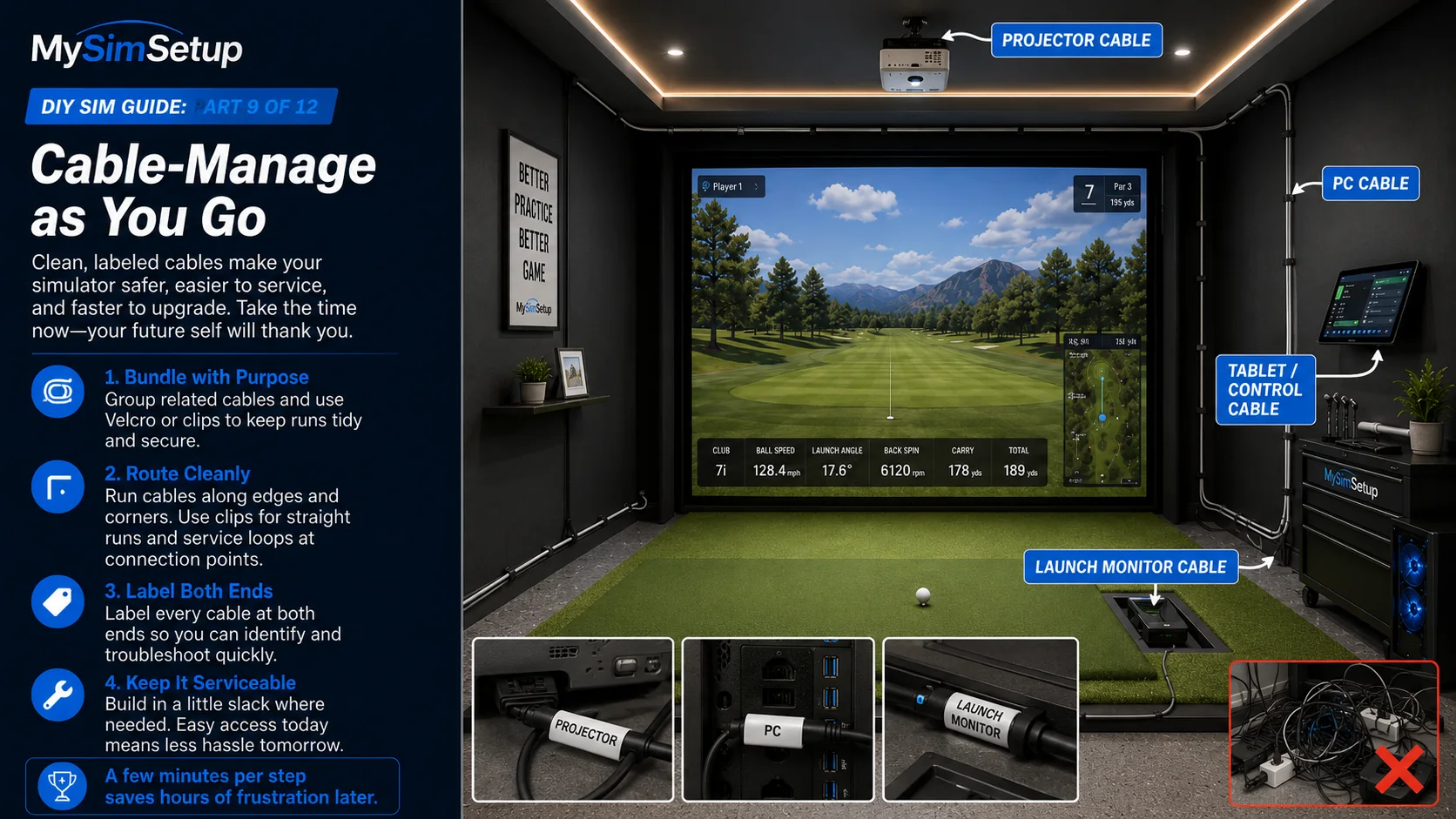
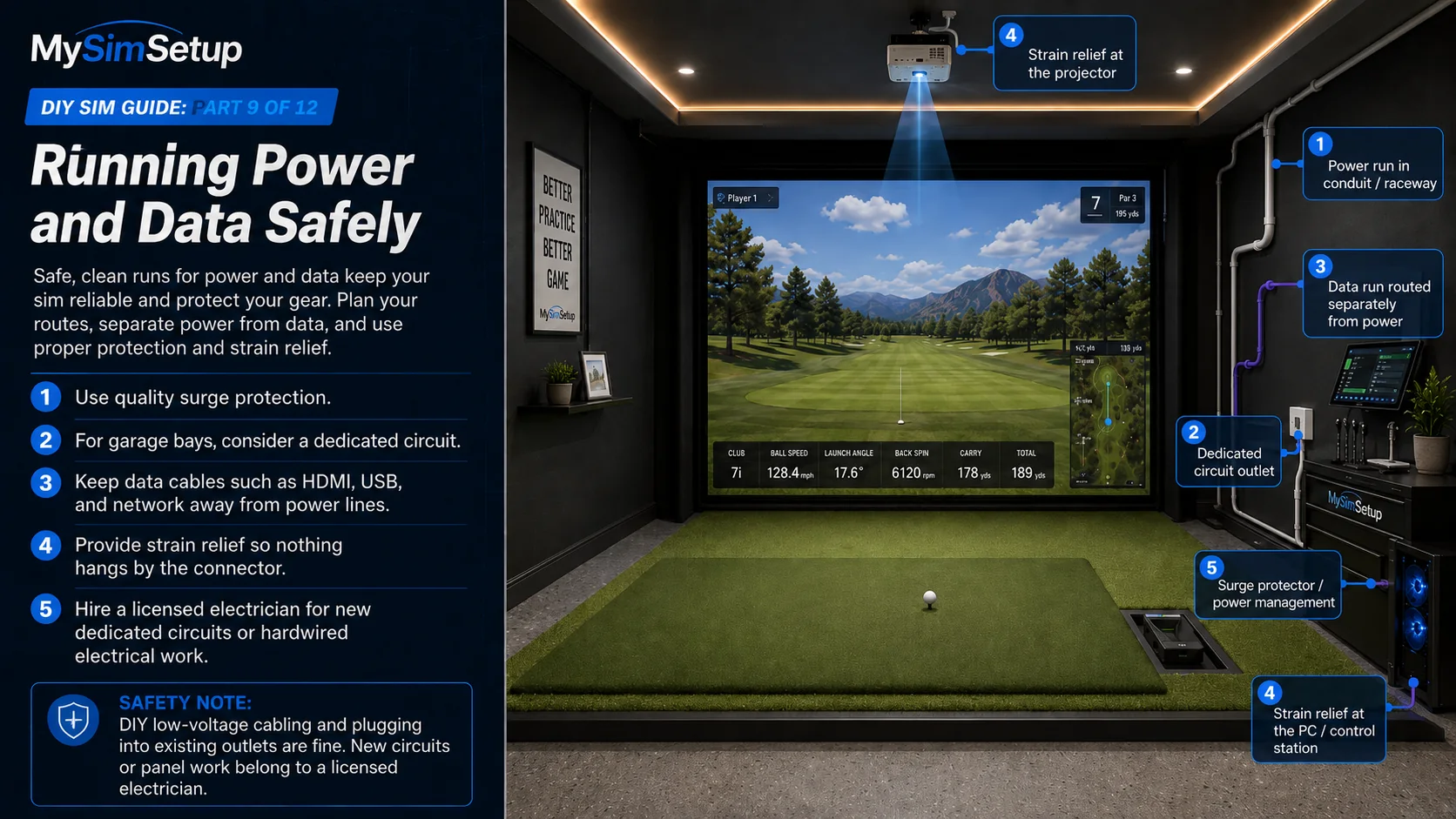
Give the electronics clean, safe power. Do not daisy-chain flimsy power strips; use quality surge protection sized to your load, and for a garage bay consider a dedicated circuit so the projector, PC, and lighting are not fighting over one overloaded outlet. Keep data cables (HDMI, USB, network) routed away from power lines to avoid interference, provide strain relief so nothing hangs by its connector, and run everything in raceway or conduit for a clean, safe finish.
Cable-manage as you go
Bundle, route, and label cables as you install each component rather than at the end. A few minutes of tidiness per step gives you a clean, serviceable bay instead of a tangle you have to reverse-engineer the next time something needs to move.